

.png)
.png)
Managing inventory across multiple Shopify locations can be tricky, especially when demand and lead times vary between locations. A reorder point is the inventory level that signals when it’s time to restock, helping you avoid stockouts or overstocking. To calculate it, use this formula:
(Daily Sales Velocity × Lead Time) + Safety Stock
Key takeaways:
- Each location needs its own reorder point based on sales patterns and lead times.
- Fast-moving products require higher reorder points and frequent updates to prevent stockouts.
- Tools like Shopify’s inventory reports or apps like Forstock can automate reorder point calculations and alerts.
Understanding Reorder Points for Multiple Locations
What Are Reorder Points?
A reorder point is the stock level that signals it’s time to place a new order. When inventory drops to this level, you need to act quickly to avoid running out of stock. The formula is straightforward: (Daily Sales Velocity × Lead Time) + Safety Stock.
Let’s say your daily sales average 10 units, and your supplier takes 7 days to deliver. You’d set your reorder point at 70 units, plus an additional buffer for safety stock.
"Reorder point is the point at which if the inventory level drops below that number, the retailer has to make a new order."
- Sentao Miao, Assistant Professor of Operations Management, McGill University
Now, let’s dive into the added complexity of managing reorder points across multiple locations.
Challenges of Managing Inventory Across Multiple Locations
Keeping track of reorder points is much trickier when you’re managing inventory at multiple warehouses or retail locations. Shopify, for example, supports up to 1,000 locations. Each of these may have unique demand patterns, lead times, and transfer requirements.
Take lead times as an example. Your Los Angeles warehouse might have a 5-day lead time, while your New York location could face a 10-day wait. Even if sales rates are identical, their reorder points need to be different. If you don’t account for these differences, you risk overstocking one location (tying up cash unnecessarily) or running out of stock at another, which can lead to lost sales. In fact, retailers lost a staggering $82 billion in 2021 because of out-of-stock items.
Another layer of complexity? Inventory transfers between locations. Without precise tracking of available and incoming stock, you might accidentally oversell.
For businesses handling fast-moving products, these challenges become even more pressing.
Why Fast-Moving Products Need Different Reorder Points
Fast-moving items demand higher reorder points and more frequent updates compared to slower-moving inventory. These high-turnover products need elevated thresholds to minimize the risk of stockouts.
"A grocery store, for example, would likely have higher reorder points for quick-selling produce than a furniture store would for slow-selling mattresses."
- Sentao Miao, Assistant Professor of Operations Management, McGill University
Even small delays in supplier lead times can create immediate availability issues for these products. In 2022, the chances of encountering an out-of-stock message skyrocketed by 235%, increasing from one in 200 to one in just 59. For high-demand items, often classified as "A" products in an ABC analysis, the stakes are even higher. They require larger safety stock reserves and constant monitoring to ensure they’re always available.
Managing these products effectively can make or break your inventory strategy.
How to Calculate Reorder Points for Multiple Locations

How to Calculate Reorder Points for Multi-Location Shopify Stores
Key Variables You Need
To calculate reorder points for different locations, you'll need three essential metrics: average daily sales, supplier lead time, and safety stock. Here's a breakdown:
- Average Daily Sales: This reflects how many units a location sells per day. You can find this data in Shopify's "Average inventory sold per day" report.
- Supplier Lead Time: This is the total number of days it takes for inventory to arrive and be shelf-ready after placing an order. It includes shipping and shelving time.
- Safety Stock: This is your extra inventory cushion to handle unexpected demand surges or delays in delivery.
These variables ensure you can accurately determine when to reorder, avoiding stockouts while minimizing excess inventory.
The Reorder Point Formula
The formula for reorder points is straightforward: (Average Daily Sales × Lead Time) + Safety Stock. However, each location requires a tailored calculation based on its specific sales and delivery dynamics.
Take these examples:
-
Chicago Warehouse: If the daily sales average is 15 units, the lead time is 8 days, and the safety stock is set at 30 units, the reorder point is:
- (15 × 8) + 30 = 150 units
- When inventory at this location drops to 150 units, it's time to reorder.
-
Miami Location: With a daily sales average of 20 units, a lead time of 6 days, and 25 units of safety stock, the calculation is:
- (20 × 6) + 25 = 145 units
Each location's reorder point will differ since sales patterns and lead times vary.
To calculate safety stock, use this formula: (Maximum Daily Sales × Maximum Lead Time) – (Average Daily Sales × Average Lead Time). For instance, if Chicago's maximum daily sales are 22 units and the maximum lead time is 10 days, while the averages are 15 units and 8 days, the safety stock would be:
- (22 × 10) – (15 × 8) = 220 – 120 = 100 units
This buffer ensures you're prepared for unexpected spikes in demand.
Adjusting for Different Demand at Each Location
Sales trends and delivery conditions vary widely across locations, so it's important to adjust reorder points accordingly. A bustling store in downtown Los Angeles will likely have a much higher sales velocity than a smaller warehouse in rural Montana, even for the same product. Shopify's location-specific reports, like the "Days of inventory remaining" report, can help you monitor these differences and fine-tune your reorder points.
Seasonal demand also plays a big role. For example, swimwear might need larger safety stock levels during summer in coastal areas compared to inland regions. Regularly review and update reorder points - ideally every quarter or whenever you notice significant shifts in sales patterns or supplier performance.
For fast-moving "A" items identified through ABC analysis, consider increasing safety stock and reviewing reorder points more frequently. This ensures high-priority products stay in stock and meet customer demand.
Setting Up Reorder Points in Shopify

Configuring Multiple Locations in Shopify
Before you dive into tracking reorder points, it's crucial to set up your Shopify locations. Each warehouse, retail store, or fulfillment center can be added through Settings > Locations in the Shopify Admin. Keep in mind that Shopify treats inventory at each location separately, meaning stock levels aren't shared or pooled across locations.
When adding a new location, there's an option to check "Fulfill online orders from this location". If you're planning to ship e-commerce orders from that particular warehouse, make sure to enable this. For retail-only stores, leave it unchecked so the inventory there won’t be visible as available for online orders.
The number of locations you can manage depends on your Shopify plan:
- Basic Shopify: Up to 4 locations
- Shopify Standard: Up to 5 locations
- Advanced Shopify: Up to 8 locations
- Shopify Plus: Up to 20 locations
Once your locations are set up, you can arrange them by priority using a simple drag-and-drop feature to determine which warehouse fulfills orders first. Afterward, enable inventory tracking to monitor stock levels in real time.
Using Shopify's Inventory Tools
To track inventory, enable the "Track quantity" option for each product variant. This ensures Shopify monitors stock levels for every item at each location.
For merchants managing a large catalog, tools like the Bulk Editor or CSV import make it easier to update inventory settings. Under the product details, select "Multiple locations" in the "Inventory will be stocked at" menu to assign products to specific warehouses.
Although Shopify doesn't have a built-in "reorder point" field, you can use Shopify Flow to automate low-stock alerts. For example, you can create a workflow that sends a notification via email or Slack whenever a location's available quantity falls below your calculated reorder point. This automation helps you stay on top of restocking without manual tracking.
Shopify also provides inventory reports to help you monitor stock effectively. These include:
- Days of Inventory Remaining
- ABC Analysis
- Average Inventory Sold Per Day
When stock reaches a reorder point, you can easily initiate a purchase order through Shopify to request more inventory from suppliers. Shopify also tracks "Incoming" quantities for better visibility. Additionally, if one location has excess stock while another is running low, use the Transfers feature to move inventory between locations instead of placing a new order.
sbb-itb-f0fc809
Using Forstock to Automate Reorder Points
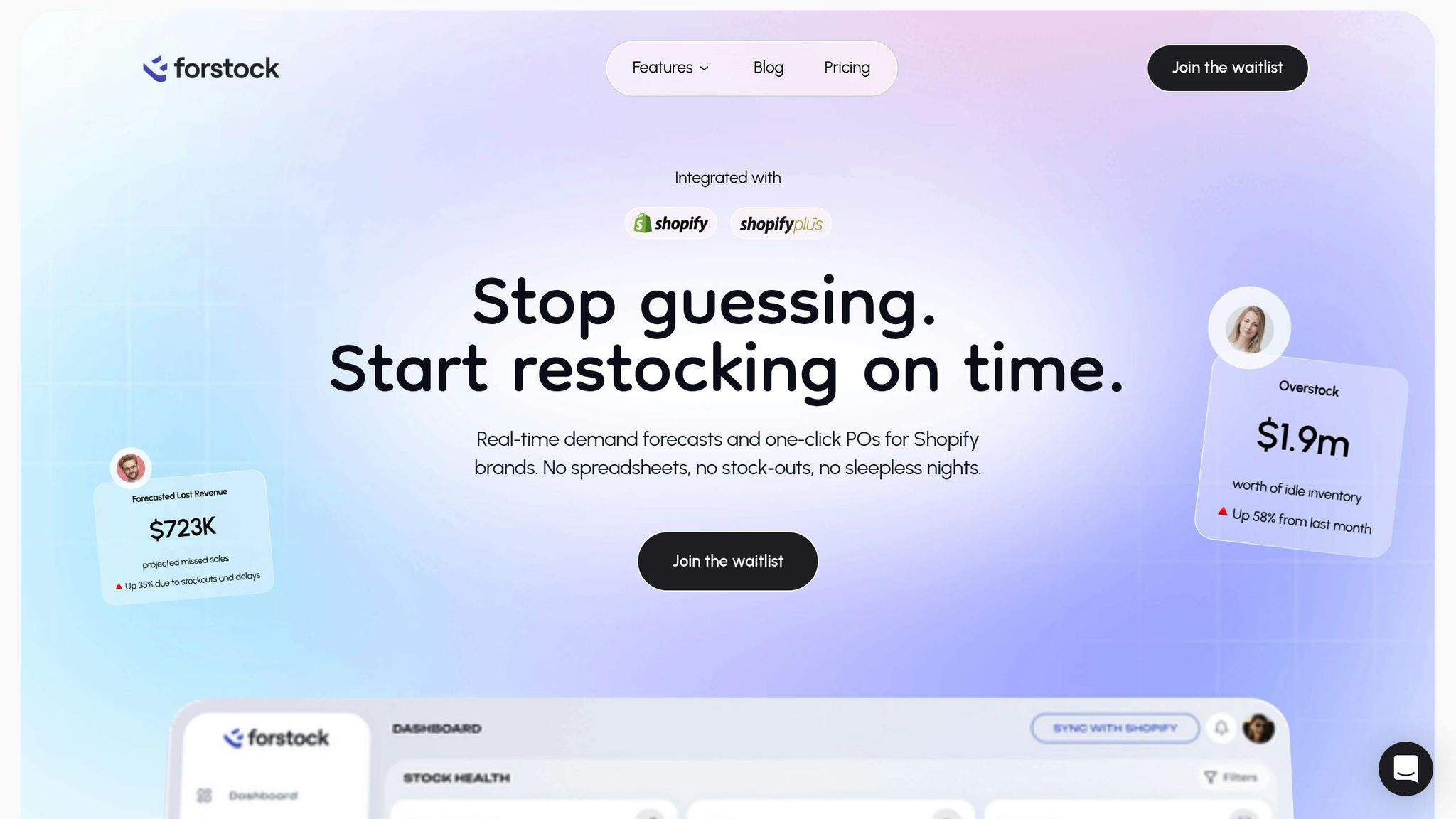
Shopify offers basic inventory tracking, but managing reorder points across multiple locations can get tricky when demand varies. That’s where Forstock steps in, simplifying the process by automating calculations and streamlining replenishment. This makes it easier to manage inventory at each location with pinpoint accuracy.
AI-Powered Demand Forecasting for Each Location
Forstock uses an AI engine to crunch the numbers, analyzing historical sales, supplier lead times, seasonal trends, and demand shifts. It automatically calculates reorder points tailored to each location. According to McKinsey, retailers leveraging AI-driven inventory tools can cut overall inventory levels by 20% to 30%. Forstock goes a step further by accounting for the specific needs of individual warehouses or stores, ensuring inventory management is customized for each site. This kind of precision helps businesses stay ahead by adapting reorder points to meet unique local demands.
Automated Reorder Alerts and Purchase Orders
When stock at any location dips to its calculated reorder point, Forstock jumps into action by sending automated alerts and generating purchase orders. This proactive system ensures you’re notified exactly when it’s time to restock, reducing the risk of running out of stock.
The impact of AI in inventory management is massive. It can boost a retailer’s gross margins by over 25%. Meanwhile, the cost of stockouts and overstocking worldwide has been estimated at a staggering $1.77 trillion in just one year. Forstock’s automation helps you avoid becoming part of that statistic.
Managing All Locations from One Dashboard
Forstock doesn’t stop at alerts - it also centralizes inventory management across all your locations. Its unified dashboard gives you a complete view of stock levels, supplier performance, and restocking needs for every warehouse and store. Instead of juggling Shopify’s location-specific tools or exporting endless reports, you can handle everything from one screen.
With features like 12-month demand planning and insights into seasonal trends, you can prepare for busy periods and adjust safety stock levels well in advance.
"Reorder point is calculated based on different factors of cost and risk, such as backlog and lost-sale costs, holding costs, fixed and variable ordering costs, ordering lead time, and others".
Forstock takes care of these complex calculations automatically, giving you more time to focus on growing your business.
Best Practices for Multi-Location Inventory Management
Managing inventory across multiple locations is no small feat. It requires constant fine-tuning to maintain the right stock levels everywhere. Why? Because the stakes are high - 17% of customers will ditch a brand after just one bad experience, and 59% will leave after multiple instances of poor service, like stockouts. To avoid these pitfalls, use your calculated reorder points as a foundation and follow these practices to keep inventory levels on track.
Setting Safety Stock for Each Location
Each location's demand patterns are unique, so a one-size-fits-all approach won't cut it. What works for a New York warehouse might completely miss the mark for a Dallas store. That’s where safety stock comes in.
"Safety stock is the extra inventory you keep on hand to protect your business when things don't go as planned. It's essentially insurance for your supply chain, helping you avoid stockouts and maintain customer satisfaction." - Rick Nelson, Founder and Owner, The Fulfillment Lab
To calculate safety stock, use this formula:
(Maximum Daily Sales × Maximum Lead Time) – (Average Daily Sales × Average Lead Time).
For example, let’s say your Phoenix store sells up to 45 units daily with a maximum lead time of 12 days. On average, it sells 28 units daily with an 8-day lead time. Using the formula:
(45 × 12) – (28 × 8) = 316 units.
This means Phoenix should keep 316 units as safety stock to avoid stockouts.
ABC Analysis can further refine your safety stock strategy. Group products into three categories:
- "A" items: High-value, revenue-driving products needing higher safety stock.
- "B" items: Moderate performers requiring moderate buffers.
- "C" items: Low-value products that can get by with smaller stock levels.
For fluctuating demand or lead times, statistical adjustments are key. For instance, a 95% service level requires a Z-score of 1.65, while a 99% service level needs 2.33.
Reviewing and Updating Reorder Points Regularly
Inventory management isn’t a set-it-and-forget-it operation. Reorder points need regular reviews, especially when sales trends, product launches, or seasonal shifts occur. Automated tools can make this process smoother by continuously monitoring and adjusting stock levels as needed.
"Reorder point is calculated based on different factors of cost and risk, such as backlog and lost-sale costs, holding costs, fixed and variable ordering costs, ordering lead time, and others." - Sentao Miao, Assistant Professor of Operations Management, McGill University
Seasonal adjustments are a must. For instance, if you sell surfboards, you'll need to increase reorder points and safety stock ahead of summer and scale them back during the off-season to avoid overstocking. Historical sales data can reveal patterns - like higher summer demand in Miami compared to Seattle - that help fine-tune your strategy.
Track performance metrics like inventory turnover, stockout frequency, and order fulfillment times for each location to see if your reorder points are hitting the mark. If one store constantly runs out while another has surplus, it’s time to adjust. Trust the data from your point-of-sale system instead of relying on guesswork.
Finally, tools like mobile barcode scanners can make inventory audits faster and more accurate across all your locations.
Conclusion
Managing reorder points across multiple Shopify locations doesn't have to be complicated. By calculating location-specific reorder points with the formula (Daily Sales Velocity × Lead Time) + Safety Stock and adjusting for local demand, you can improve your inventory management significantly. Pair this with multi-location tracking in Shopify, safety stock buffers, and ABC analysis to prioritize your most important products, and you'll have a strong foundation for smoother operations. These practices set the stage for adopting automated solutions.
Relying on spreadsheets or guesswork often leads to errors - especially when juggling inventory across multiple warehouses and stores. On the other hand, AI-powered systems can optimize replenishment schedules, adjust for varying lead times, and even boost gross margins by over 25%.
Taking automation a step further, Forstock simplifies inventory management by automating demand forecasting for each location, sending reorder alerts, and syncing inventory in real time across all your stores and warehouses. With data-driven purchase order suggestions and a centralized dashboard, you can leave manual tracking behind. The result? Fewer stockouts, reduced overstock, and more time to focus on growing your business.
FAQs
How can I calculate the right safety stock for each Shopify location?
Calculating safety stock for each Shopify location is crucial for keeping your shelves stocked while avoiding unnecessary inventory buildup. Safety stock serves as a cushion to protect against unexpected demand surges or supply chain hiccups. To figure out the right amount, focus on key elements like sales velocity, lead times, and the variability in both demand and supply.
A straightforward way to approach this is by using a formula that factors in demand changes during lead time and your preferred service level. Each location’s specific sales patterns and lead times should shape these calculations. Tools like Forstock make this process easier by offering real-time demand forecasting and analytics. Automating safety stock calculations allows you to set accurate reorder points, helping you meet customer needs without tying up capital in excess inventory.
What are the main challenges of managing inventory across multiple locations?
Managing inventory across multiple locations is no small feat. Balancing stock levels to avoid shortages or excess inventory requires precision, especially when trying to maintain accuracy and efficiency. Real-time visibility becomes essential for making smart decisions about stock transfers, replenishment, and fulfilling orders. Without proper synchronization, the risks of overselling or piling up surplus inventory grow, potentially disrupting operations and disappointing customers.
The challenge only deepens when managing inventory across warehouses, retail stores, and third-party fulfillment centers. Each location operates differently, with its own sales trends, lead times, and storage limitations. Trying to manually optimize stock levels under these conditions can quickly become overwhelming. This is where tools like demand forecasting and automated inventory management platforms come into play. They simplify the process, minimize errors, and improve overall efficiency.
Solutions like Forstock take it a step further by centralizing inventory management, automating repetitive tasks, and offering insights into demand trends across all locations. Not only does this save time, but it also helps you meet customer needs while cutting back on unnecessary costs and delays.
How does automation simplify inventory management for stores with multiple locations?
Automation takes the headache out of managing inventory for multi-location stores by keeping stock levels accurate in real-time across every location. This means fewer stockouts and less overstocking - two challenges that often plague businesses juggling multiple sites. On top of that, automated systems can simplify stock transfers and direct orders to the nearest fulfillment center, boosting both efficiency and customer satisfaction.
With AI-driven demand forecasting, automation fine-tunes inventory levels by analyzing sales trends, seasonal shifts, and lead times. It cuts down on manual tasks, reduces mistakes, and ensures timely restocking through automated reorder alerts. These tools allow merchants to stay laser-focused on growing their business while maintaining tight control over inventory at every location.



.png)
.png)
.png)
.svg)