

.png)
.png)
If you’re still using basic Shopify inventory tools in 2026, you may be flying blind. Stockouts cost ecommerce about Stockouts cost ecommerce about $1.2 trillion a year.2 trillion a year, and 70% to 80% of shoppers will buy somewhere else instead of waiting.
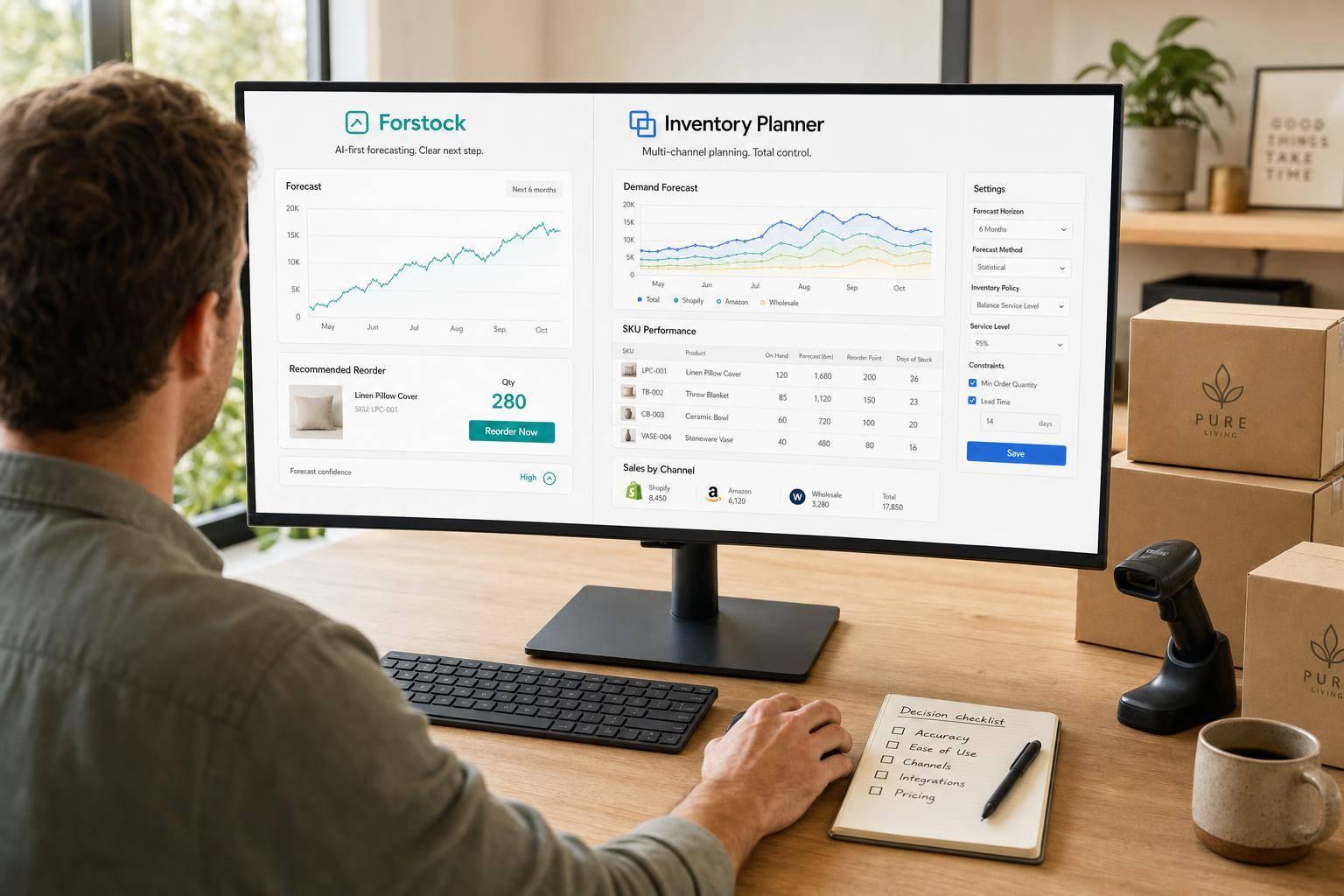
Here’s the short version: if you run a small Shopify store with simple demand, native tools may still be enough for now. But if you sell across many locations, work with long supplier lead times, or need purchase orders and reorder planning in one place, a forecasting app starts to make more sense. This article compares Forstock, Inventory Planner, Prediko, Fabrikatör, Cogsy, and Flieber based on forecast method, reorder planning, lead times, pricing, and multi-location support.
What I’d take away fast:
- Forstock is a low-cost pick for Shopify brands that want forecasting plus purchasing.
- Inventory Planner fits brands with more channels, warehouses, and finance needs.
- Prediko is a strong fit for DTC brands that plan around ads, promos, and demand shifts.
- Fabrikatör is built for tighter PO control, backorders, and stockout timing.
- Cogsy leans more toward cash flow and scenario planning than short-term sensing.
- Flieber fits brands that need channel-level replenishment and bundle planning.
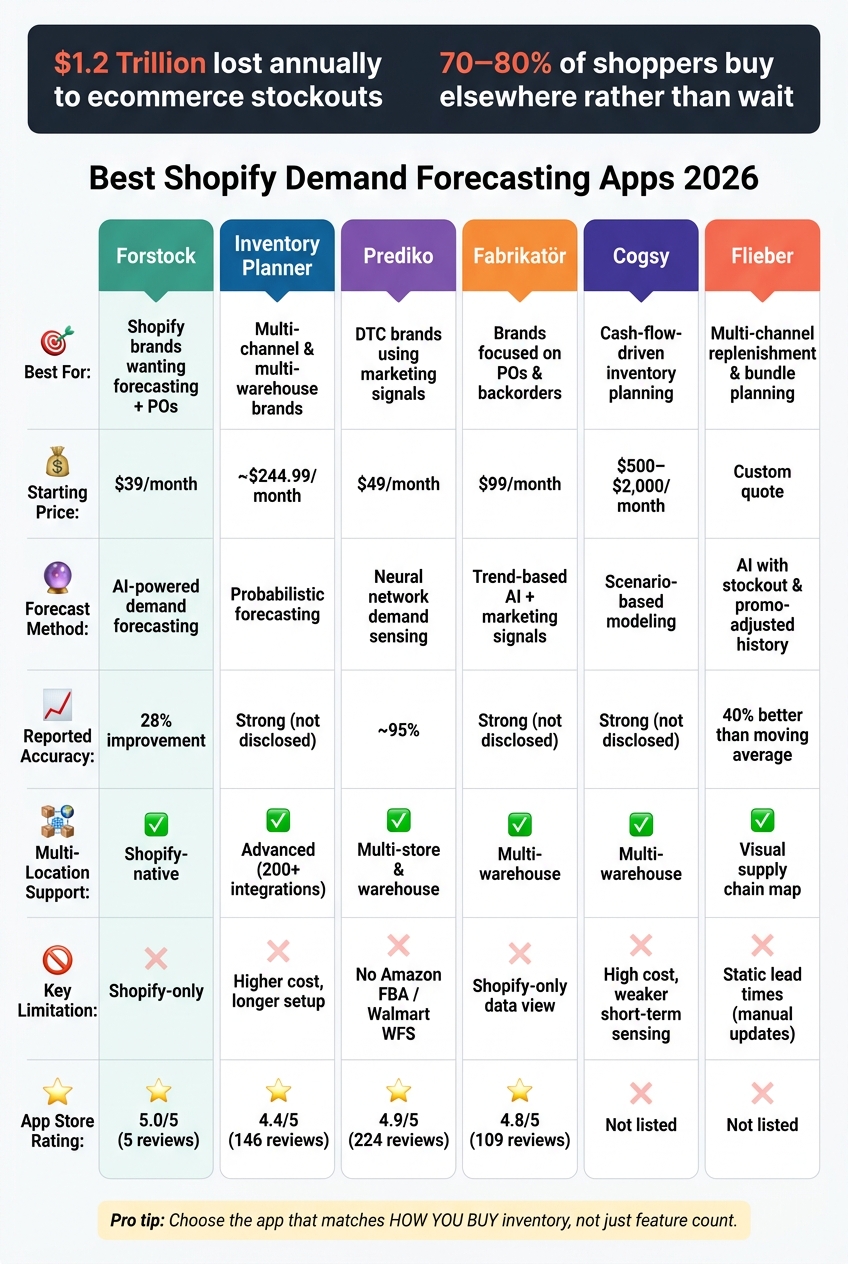
Best Shopify Demand Forecasting Apps 2026: Side-by-Side Comparison
Shopify and Inventory Planner integration | Demand Forecast | Inventory Planning | eCommerce stock

sbb-itb-f0fc809
Quick Comparison
| App | Best For | Starting Price | Main Tradeoff |
|---|---|---|---|
| Forstock | Shopify brands that want forecasting + POs | $39/month | Shopify-first |
| Inventory Planner | Multi-channel and multi-warehouse brands | About $244.99/month | Higher cost, longer setup |
| Prediko | DTC brands using marketing signals | $49/month | No native Amazon FBA/Walmart WFS |
| Fabrikatör | Brands focused on POs and backorders | $99/month | Shopify-first data view |
| Cogsy | Cash-flow-driven inventory planning | About $500–$2,000/month | Higher cost |
| Flieber | Multi-channel replenishment and bundle planning | Custom quote | Static lead times |
If you want a simple way to choose: pick the app that matches how you buy inventory, not just how many features it lists. You can also compare SEO tools and other cloud-based solutions to see how they integrate with your stack.
1. Forstock
Forstock is a good fit for brands that need accurate forecasts tied straight to purchasing. It runs inside Shopify, so orders, SKUs, and inventory sync on their own. Its AI uses Shopify data to forecast SKU-level demand across locations, including seasonality and growth patterns. That matters when forecast accuracy, supplier timing, and reorder speed have a direct impact on cash flow.
Forecasting Accuracy
Reported results include a 28% increase in forecast accuracy and a 75% reduction in stockouts. It also shows the logic behind each prediction, so teams can review the reasoning before placing a reorder.
Reorder Planning
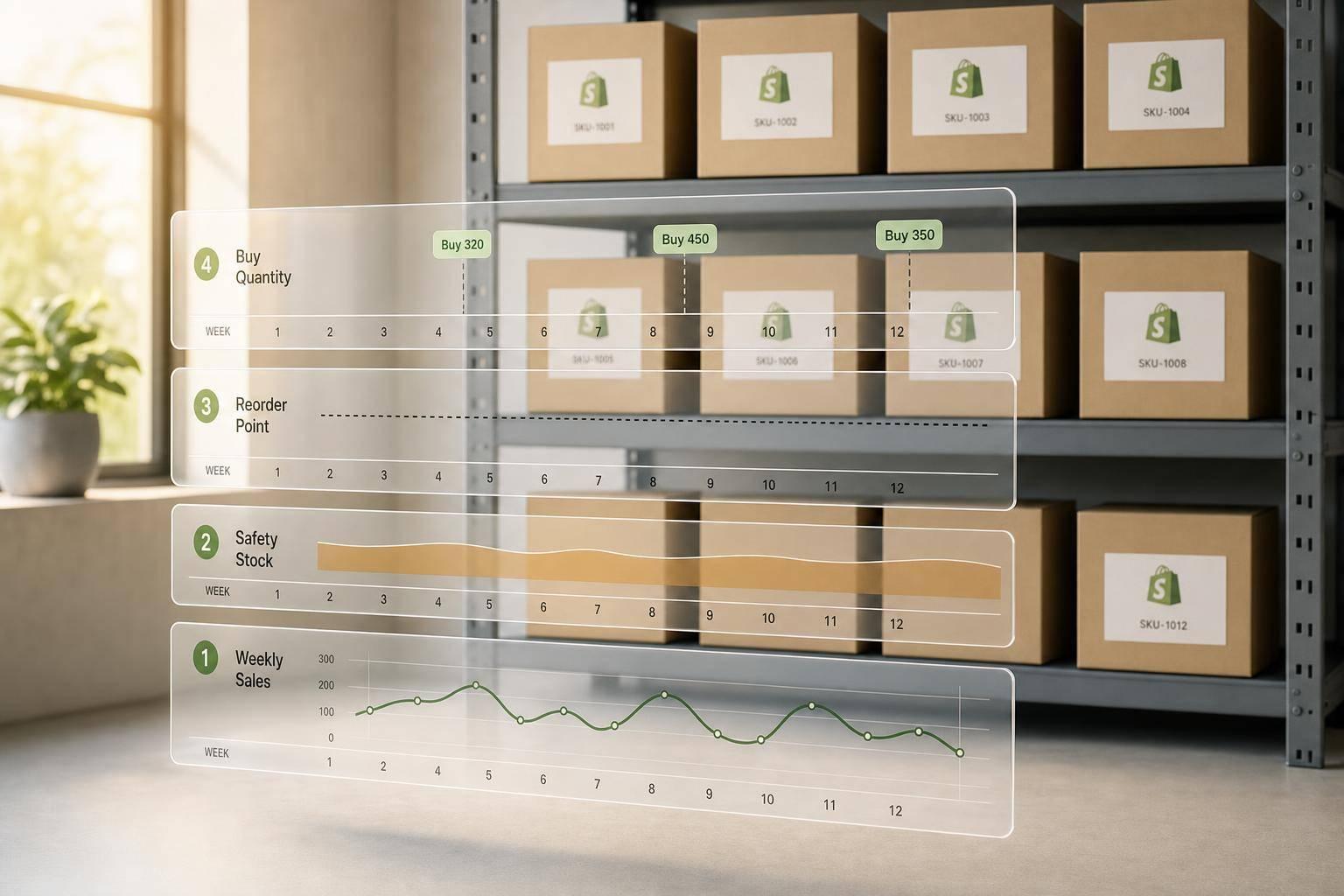
Forecasts feed into a Reorder Table that recommends what to buy and when. It uses safety stock, supplier lead times, MOQs, unit costs, and custom rules. The app can also generate supplier-ready purchase orders in seconds.
Multi-Location Support
For multi-location brands, Forstock creates daily SKU forecasts by location using synced Shopify data. It flags products that are selling fast, slowing down, or piling up at certain locations. That gives teams a clearer view of where to move inventory before small issues turn into bigger ones.
Pricing
Forstock offers a free plan plus a 14-day trial on paid tiers. Paid plans start at $39/month for stores up to $250K in revenue, $79/month up to $1M, and $159/month up to $5M. It also has a 5.0/5 Shopify App Store rating from 5 reviews. For brands that want forecasting and purchase planning in the same workflow, that pricing is pretty approachable.
2. Inventory Planner
For brands that need deeper planning, Inventory Planner adds financial visibility and multi-channel replenishment. It combines probabilistic forecasting with Sage-backed financial reporting for more complex replenishment needs. If your inventory and accounting need to stay in sync, its Sage integration gives teams a clearer financial view.
Forecasting Accuracy
The platform uses probabilistic forecasting to predict demand. It also tracks variants one by one, so sizes, colors, and other product configurations are planned at the item level. That matters when one version of a product flies off the shelf while another barely moves.
Inventory Planner also blends sales velocity across channels. So if demand is split between Shopify, Amazon, and wholesale, it can smooth out sharp spikes and give you a steadier read on what’s happening.
Reorder Planning
Those forecasts flow straight into reorder decisions, helping teams see when to reorder and how much to buy. Plans can be built in units, cost, or retail value. You can also adjust reorder plans for upcoming promotions without starting from scratch, which is handy when a planned sale changes the picture.
Lead Time Modeling
Inventory Planner factors in supplier lead times, capacity, and replenishment cycles when it generates recommendations. In plain terms, it doesn’t just look at demand. It also looks at how long it takes to get stock back in and what your suppliers can handle.
Setup usually takes 2–4 weeks, so it’s smart to plan ahead before you need it live.
Multi-Location Support
This level of forecasting tends to matter most when replenishment happens across more than one warehouse or store. Inventory Planner supports replenishment across multiple warehouses and retail locations, then generates location-specific recommendations. It can also flag cases where a stock transfer makes more sense than placing a new buy order.
The platform supports 200+ integrations, including Amazon, ShipBob, QuickBooks, and Cin7.
Pricing
Pricing starts at about $244.99/month. It’s free to install, though extra charges may apply. The app holds a 4.4/5 rating from 146 reviews. Users often praise its forecasting depth and purchase order management, while some point to slow support and occasional sync issues.
3. Prediko
Prediko is a Shopify-native forecasting tool trained on 25 million+ SKUs across 15+ industries. It says it delivers about 95% forecast accuracy.
Forecasting Accuracy
This is where Prediko tries to stand out. When demand shifts fast, plain historical averages can lag behind. Prediko adds demand signals on top of past sales and pulls in live inputs like social media trends, weather patterns, and marketing spend, including Meta Ads Manager.
You can also layer in upcoming promotions, BFCM periods, or influencer campaigns, so the forecast lines up with what your team is planning to do, not just what happened last quarter.
That can show up in day-to-day operations. Healf used AI forecasting to reduce stockouts from 4% to 1% in two months.
Reorder Planning
Prediko’s Buying Table gives live reorder suggestions across 90+ metrics, including stock cover, lead time, and sell-through rate. If a buyer wants to act right away, they can create purchase orders in one click, and those orders sync with Shopify and WMS platforms like ShipHero.
It also accounts for things that often throw off reorder timing, such as:
- Production time
- Freight mode
- Holiday periods
That means reorder dates aren’t based on sales data alone.
Multi-Location Support
Prediko brings together Shopify locations, warehouses, and 3PLs in one place. Its Smart Inventory Transfers feature shifts stock toward sites with stronger demand.
There is a catch, though. Prediko is still Shopify-first and, as of mid-2026, it does not offer native Amazon FBA or Walmart WFS integrations.
The next app shifts the focus from demand sensing to broader replenishment and financial control.
Pricing
| Plan | Monthly Price | Revenue Limit |
|---|---|---|
| Starter | $49 | Up to $100,000 |
| Scale-up | $119 | Up to $500,000 |
| Growth | $199 | Up to $2 million |
| Enterprise | Free to install; custom pricing | Above $2 million |
All paid plans come with a 14-day free trial. Prediko is rated 4.9/5 from 224 reviews, and 97% of those reviews are five-star ratings.
4. Fabrikatör
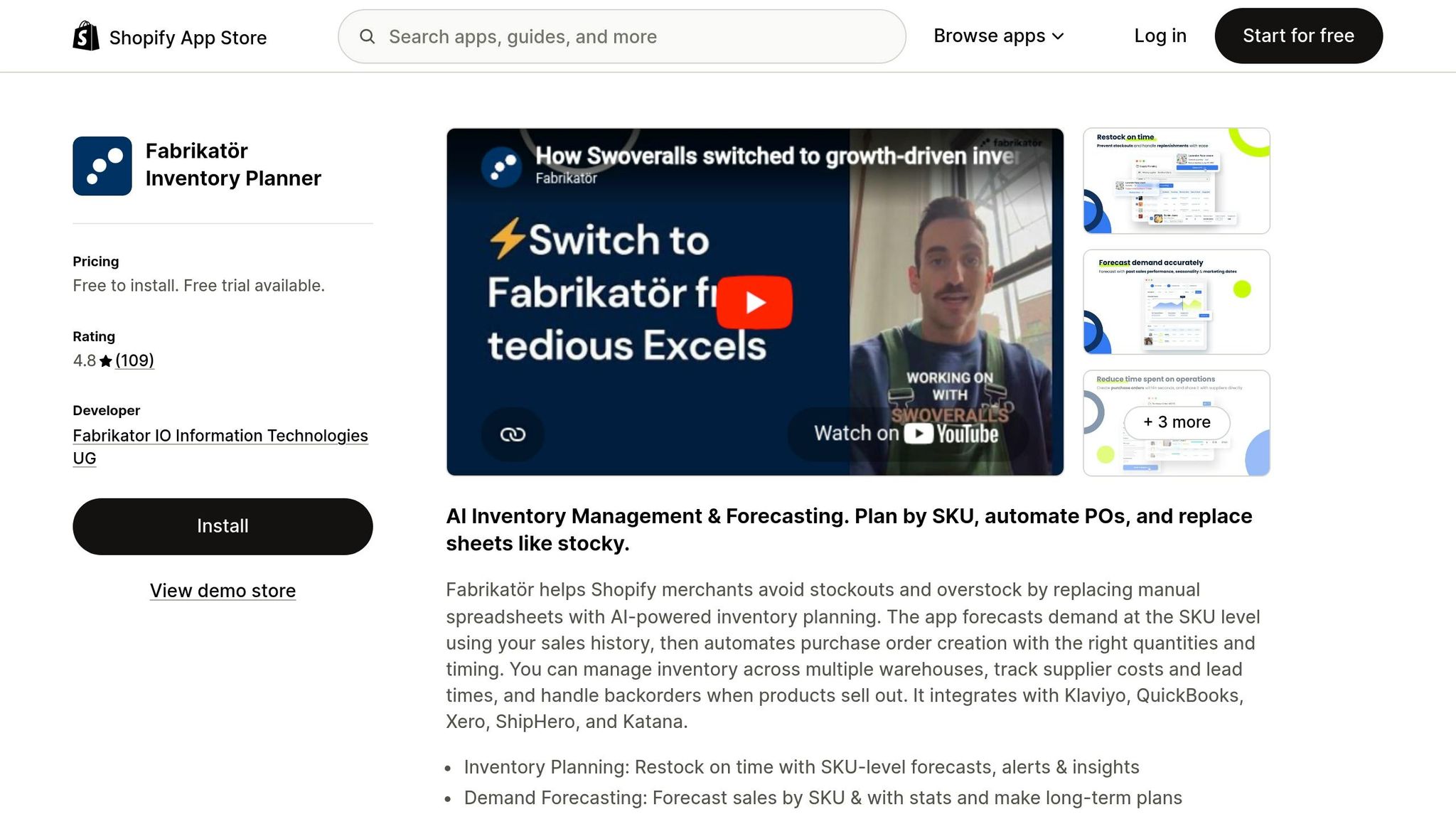
Fabrikatör is aimed at growing Shopify brands with 50+ SKUs and at least 6 months of order history. The app is built to turn forecasts into clear buying decisions, stockout timing, and backorder workflows. In plain English, it helps brands go from "What will likely sell?" to "When should we place the PO so we don't run out?" It's also a solid option for merchants planning to move off Shopify's Stocky app, which is set for deprecation on August 31, 2026.
Forecasting Accuracy
Fabrikatör uses AI to review historical sales data, trends, and seasonal patterns at the SKU level, including bundle items. That matters because forecasting at the product-family level can blur what's actually happening with each item.
If demand changes fast, you can shorten the forecast lookback window to 7 days so recent sales carry more weight. For seasonal planning, the "Last Year Sales Performance" mode lets you apply a custom growth rate to past seasonal cycles. That's useful when last year's numbers give you a good baseline, but you know this year's demand won't be flat.
Reorder Planning
Fabrikatör includes two planning modes:
- Replenish for short-term restocking
- Long-term Demand & Supply Planning for planning across 3 to 12 months
Long-term mode accounts for seasonality and can generate purchase orders, while Replenish is built for day-to-day restocking.
Backorder automation is another big part of the app. When an item goes out of stock, Fabrikatör can keep the product available for sale and show estimated arrival dates on the product page using open PO data. That can help save demand that might otherwise disappear during a stockout. Live ship dates also help keep pre-order sales moving without manual product page edits.
For replenishment timing, the app uses current stock, sales velocity, lead times, and incoming POs to help decide when to reorder.
Multi-Location Support
Fabrikatör supports multiple warehouses and stores. It uses current stock, sales velocity, and incoming POs to project stockout dates across locations using Shopify stockout alert tools. If a brand does a lot of sales through channels outside Shopify, it's smart to check forecast output closely, since the app is Shopify-first.
Pricing
| Plan | Monthly Price | Annual Revenue Limit |
|---|---|---|
| Seed | $99/mo | Up to $500,000 |
| Scale-up | $149/mo | Up to $1,500,000 |
| Growth | $199/mo | Up to $2,500,000 |
| Enterprise | Custom pricing | Above $2,500,000 |
Annual subscriptions come with a 20% discount, and backorders are free for the first 50 before dropping to $0.75 each. Fabrikatör also has a 4.8/5 rating on the Shopify App Store based on 109 reviews.
5. Cogsy
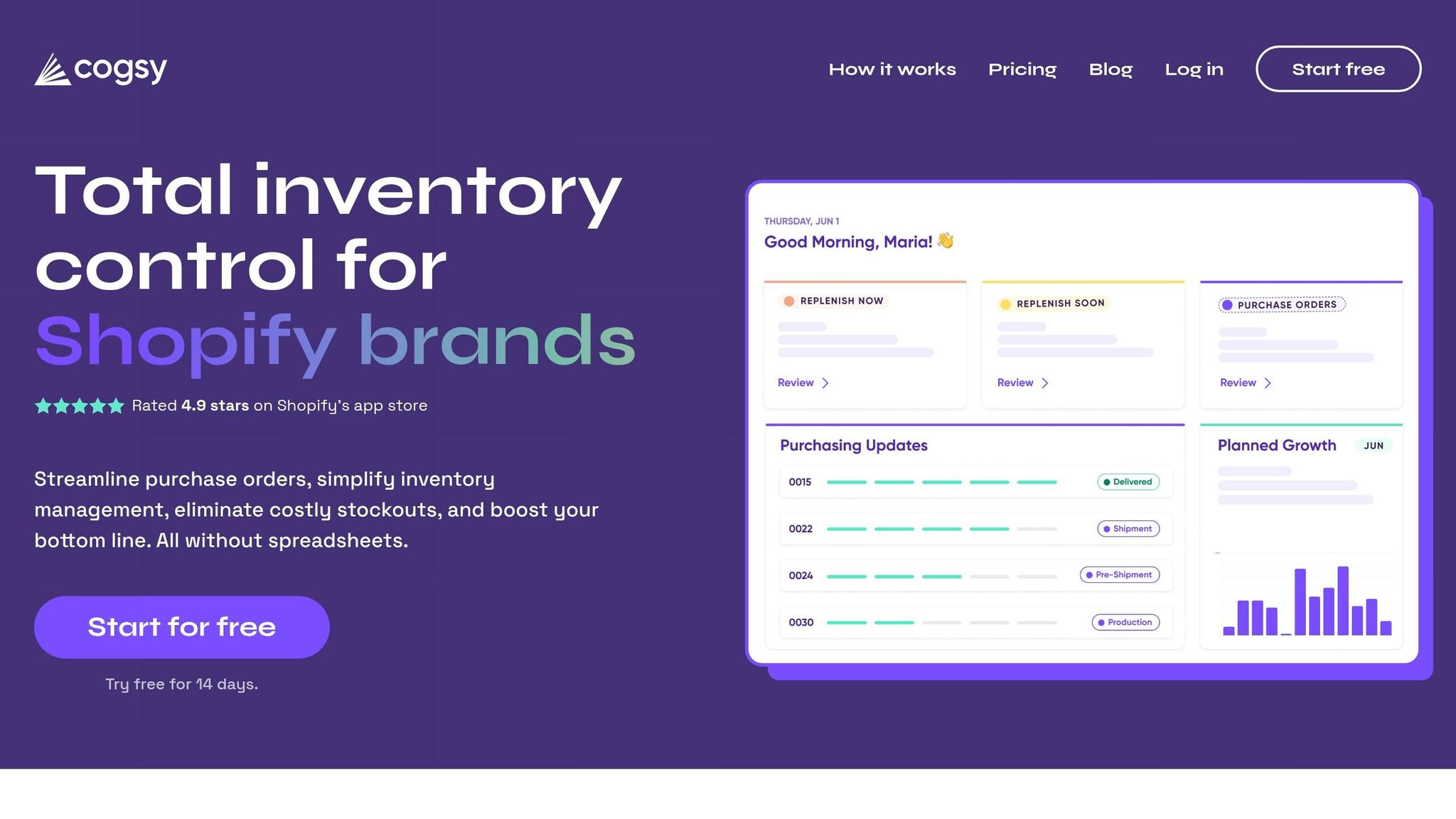
Cogsy takes a finance-first angle on inventory planning. It’s built for VC-backed and fast-growing DTC brands that want forecasting tied straight to cash flow decisions.
Forecasting Accuracy
Cogsy uses growth-adjusted forecasts that factor in sales velocity and seasonality. It also pulls in Google Trends and promotion-adjusted forecasting, which helps reflect demand changes tied to planned campaigns.
The tradeoff is pretty simple: Cogsy is stronger on planning than on short-term demand sensing. Compared with AI-native tools, its near-term sensing is weaker.
Reorder Planning
Cogsy links reorder recommendations to both stock levels and working capital planning. So instead of asking only, “Do we need to reorder?”, you can also ask, “What does this purchase order do to our cash position?”
It helps brands model how a purchase order affects cash flow and supplier timing, which can make inventory planning a lot easier when funding scenarios are part of the picture.
Multi-Location Support
Cogsy supports multiple warehouses and retail locations. It also builds lead times into its planning models, so reorder points can reflect supplier delays instead of assuming everything arrives on time.
That makes it a better fit for brands that need location-level planning, not just fast-moving demand signals.
Pricing
Cogsy costs about $500 to $2,000 per month, which puts it in the range for established brands more than early-stage merchants.
So if a brand cares more about inventory finance and cash planning than pure demand sensing, Cogsy is likely the better match.
6. Flieber
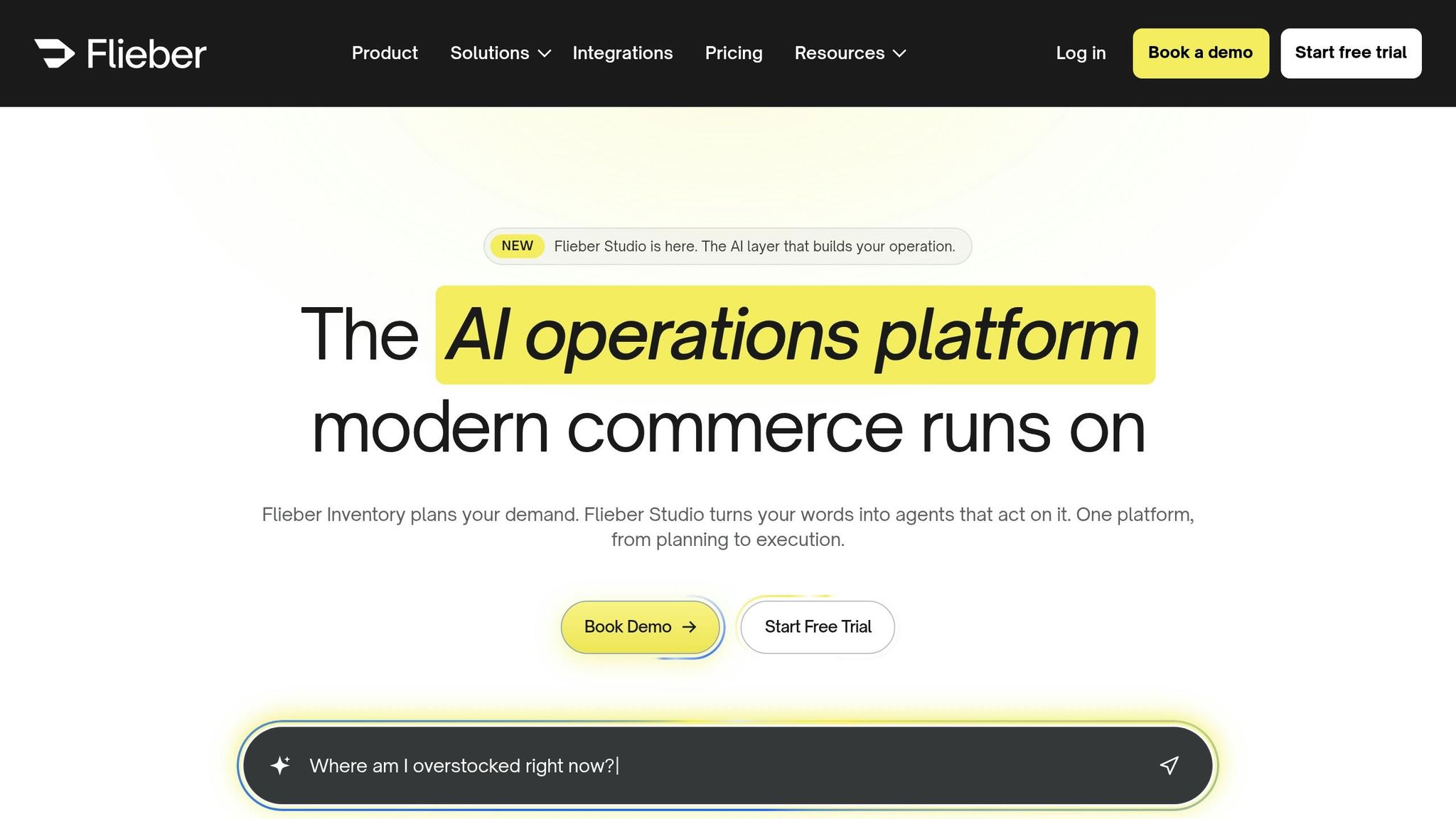
Flieber uses AI forecasting to account for seasonality, stockouts, and channel mix instead of relying on simple moving averages. That matters most when a brand needs forecasts tied to lead times, replenishment timing, and multi-location inventory.
Forecasting Accuracy
Flieber cleans sales history by adjusting for past stockouts so forecasts don't skew low, and for promo spikes so they don't skew high. Then it builds demand forecasts from actual sales behavior, not spreadsheet formulas.
According to Flieber, its AI models are on average 40% more accurate than the moving average methods many teams still use in spreadsheets. For top products, average accuracy can go above 80%. Better history cleanup feeds straight into fewer stockouts and tighter replenishment timing.
Reorder Planning
Flieber's replenishment engine calculates when to reorder and how much to order at the SKU level. It takes into account supplier lead times, safety stock buffers, MOQs, days of coverage, and replenishment frequency. Users can set these inputs at the SKU, product, or category level.
There is one catch: lead times are static. If a supplier timeline changes, someone has to update it by hand. Dynamic lead times are still on the roadmap.
Multi-Location Support
Flieber uses a visual supply chain map to model inventory flows across multiple warehouses, fulfillment centers, and sales channels like Shopify and Amazon. In plain English, you can see warehouse flow, channel mix, and bundle-level replenishment in one place instead of piecing it together across tabs and tools.
The platform also natively supports product bundles, kits, and SKUs that share the same inventory pool. It automatically rolls bundle demand into component-level replenishment recommendations.
Pricing
This is where Flieber stands out most: it's built for teams where supply chain structure matters just as much as demand prediction.
Flieber offers Essentials, Pro, and Max tiers for brands with different levels of supply-chain complexity. It doesn't publish pricing, so you'll need to request a quote.
After 12 months, Flieber reports:
- 62% fewer stockouts
- 38% more sales
- 88% less replenishment decision time
Onboarding typically takes 1–2 days. This speed is a major advantage for brands looking to modernize their Shopify inventory management without long downtime.
The next section compares these tools side by side on forecasting accuracy, lead times, and multi-location planning.
Head-to-Head Comparison by Key Criteria
The app reviews above show what each tool does. This section narrows the focus to the day-to-day differences that matter most.
Here’s how the six apps stack up on forecast accuracy, reorder planning, lead times, and multi-location support.
Forecast Accuracy
| App | Method | Accuracy |
|---|---|---|
| Forstock | AI-powered demand forecasting | 28% improvement reported |
| Prediko | Neural network demand sensing | ~95% |
| Inventory Planner | Probabilistic forecasting | Strong |
| Fabrikatör | Trend-based AI + marketing calendar signals | Strong |
| Cogsy | Scenario-based modeling | Strong |
| Flieber | AI with stockout and promo-adjusted history | Not disclosed |
Some tools give a hard number. Others don’t. Prediko reports about 95% accuracy, while Forstock reports a 28% improvement. The rest point to solid performance, but without a published number in this comparison.
Reorder Planning & Lead Time Modeling
| App | Reorder Planning | Lead Time Modeling |
|---|---|---|
| Forstock | Reorder suggestions with MOQ and safety stock | Supplier lead times factored into recommendations |
| Prediko | Live reorder recommendations | Tracks lead times for 12-month plans |
| Inventory Planner | Automated multi-channel replenishment | Configurable supplier lead times |
| Fabrikatör | PO automation + backorder management | Supplier cost and lead time tracking |
| Cogsy | Backorder and pre-order support | 12-month planning horizon |
| Flieber | SKU-level replenishment with MOQ and safety stock | Not disclosed |
This is where the difference between “helpful” and “can run ops” starts to show. Most of these apps handle reorders well enough for a growing brand. But once lead times shift, suppliers change, or backorders enter the picture, the planning model matters a lot more.
Inventory Planner leans into automated replenishment across channels. Prediko and Cogsy both support longer-range planning, with a 12-month view tied to lead time planning. Fabrikatör adds PO automation and backorder handling, which can be a big deal if your purchasing workflow is messy.
Multi-Location Support
Multi-location planning is where the gap between tools opens up fast.
| App | Multi-Location Capability | Best Fit |
|---|---|---|
| Forstock | Unified tracking across retail and digital storefronts | Shopify-native brands scaling across locations |
| Inventory Planner | Advanced: Shopify, Amazon, wholesale | Complex multi-channel brands |
| Fabrikatör | Multi-warehouse management | Operations with backorders and complex POs |
| Prediko | Multi-store and multi-warehouse | Shopify-native D2C brands |
| Flieber | Multi-warehouse and multi-channel via visual supply chain map | Not disclosed |
| Cogsy | Multi-warehouse planning for launch-driven demand | Launch-heavy or event-driven brands |
For brands running one Shopify store and working with one or two suppliers, most of these tools will handle the basics just fine. The split shows up when you add Amazon, wholesale, or more than one warehouse. That’s when setup gets trickier, and not every app keeps up.
At that point, Inventory Planner stands out as the clearest pick for more complex multi-channel operations.
The next section breaks down the practical pros and cons of each app.
Pros and Cons
The table below boils each app down to three things: its main upside, its main drawback, and the brand setup where it makes the most sense.
| App | Best Strength | Key Limitation | Best-Fit Brand Scenario |
|---|---|---|---|
| Forstock | Starts at $39/month with AI forecasting, POs, supplier control, and multi-location visibility | Shopify-only visibility | Shopify brands managing stockouts and reorder timing across locations |
| Inventory Planner | Probabilistic, variant-level forecasting with 200+ integrations including Amazon FBA, plus financial reporting | Higher starting price (~$244.99/month); no Walmart WFS support | Complex brands managing multiple warehouses or wholesale accounts |
| Prediko | Demand sensing from marketing signals with forecast accuracy up to 95% | Shopify-only visibility; no native Amazon FBA or Walmart WFS | DTC brands that plan inventory around marketing activity |
| Fabrikatör | PO automation, backorder management, and lead-time planning | Shopify-only visibility limits Amazon or Walmart demand signals | Teams that need tighter purchase planning |
| Cogsy | Scenario modeling for launches, pre-orders, and marketing events | Quote-based pricing ($500–$2,000/month) | Launch-heavy brands with volatile demand |
| Flieber | AI forecasting with stockout- and promo-adjusted history, plus visual supply chain mapping across channels and warehouses | Static lead times require manual updates when supplier timelines change | Multi-channel brands that need replenishment tied to warehouse flow and bundle-level SKUs |
In plain English, each row points to a different buying problem. One brand may care most about avoiding stockouts. Another may be focused on cash planning. Someone else may need better launch planning, tighter purchase-order control, or smoother replenishment across multiple locations.
That’s why the next section matters. The right pick often comes down to how you plan inventory, not just how many features sit on a pricing page.
One thing applies across the board: these tools only work as well as the data behind them. Clean sales history and accurate lead times are a must.
Conclusion
The right app depends on how complex your inventory is right now. In plain English, the choice usually comes down to your channel mix, SKU count, and lead-time complexity. As SKU count, seasonality, and lead-time volatility go up, basic inventory tools tend to fall apart fast.
Forstock's $39/month plan is a practical starting point for brands that want forecasting, reorders, and PO creation in one dashboard, without piling on extra operational work.
Multi-warehouse and wholesale brands are dealing with a tougher setup. Their forecast needs to reflect demand across every sales channel, not just Shopify checkout. And if you're still relying on Stocky, it's time to replace it before Shopify's August 31, 2026 sunset.
No matter which app you pick, clean sales history and accurate lead times matter most. Bad inputs weaken every forecast, and stockouts can still cost retailers 4% to 8% of annual revenue.
FAQs
When should I move beyond Shopify’s built-in inventory tools?
Move beyond Shopify’s built-in inventory tools once your operation starts to outgrow them. That usually happens when you’re managing 200+ SKUs, selling across more than one channel, or struggling to get a clear view of inventory before under-forecasting and stockouts hit.
A dedicated forecasting app matters even more when demand shifts with the seasons, swings month to month, or gets hard to predict. It can also help when you need multi-location planning and tighter SKU-level forecasts so you can cut down on both overstock and stockouts.
What data do I need for accurate demand forecasting?
For accurate demand forecasting, you need a solid set of inputs: historical sales data, sales velocity, seasonality patterns, lead times, and safety stock levels.
That gives you the internal picture. But demand doesn’t move in a vacuum.
External signals can sharpen your forecast too, including marketing campaigns, weather, social media sentiment, and competitor actions.
How do lead times and multiple locations affect reordering?
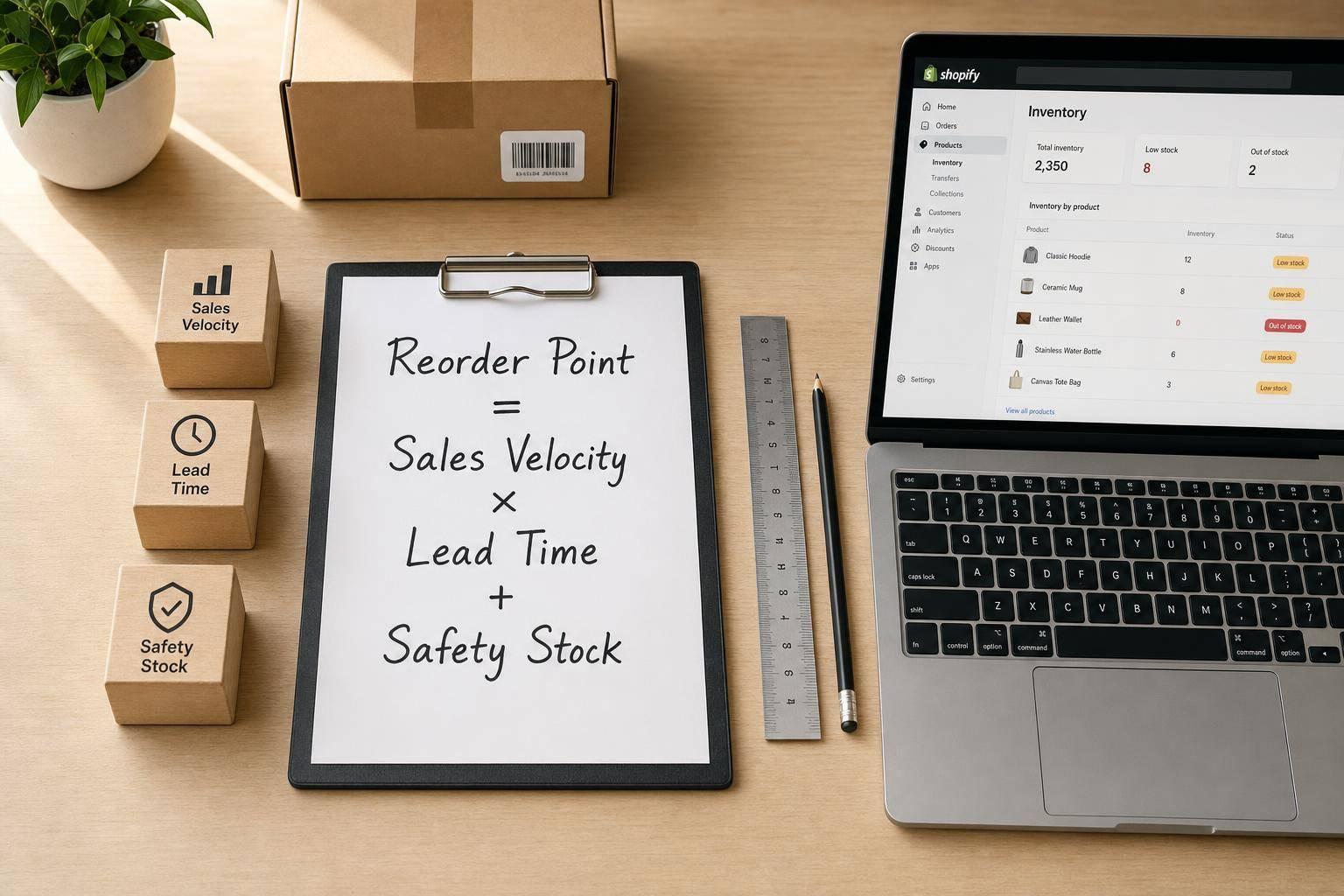
Lead times and multiple locations make reordering harder. When a supplier takes longer to deliver, you have to plan earlier. That also means your safety stock needs to be dialed in, so reorder points account for those delays and help prevent stockouts.
If you stock inventory across multiple locations, one reorder point usually won’t cut it. Each site needs its own reorder point based on local demand and local lead times. Pulling demand signals into one view, then allocating inventory based on each location’s sales velocity, helps keep stock levels in check and cuts down on overstock.
.png)
.png)
.png)
.svg)