

.png)
.png)
Managing purchase orders across multiple locations can be a challenge, especially when each site has unique demand patterns, lead times, and roles in your supply chain. A one-size-fits-all approach often leads to stockouts, overstock, and inefficiencies. Here’s what you need to know to streamline your process:
- Tailor purchase orders to location needs: Each site (e.g., warehouse, retail store, or 3PL) operates differently. Define roles for each location to ensure accurate order routing and avoid unnecessary shipments.
- Set location-specific reorder points: Use sales data, supplier lead times, and safety stock to calculate when and how much to reorder for each site.
- Standardize data and supplier terms: Consistent SKUs, units of measure, and supplier agreements prevent errors and simplify order management.
- Implement approval workflows: Use dollar thresholds and role-based permissions to control spending while ensuring timely reorders.
- Automate purchase orders: Leverage tools like Forstock to handle demand forecasting, consolidate shipments, and trigger reorders based on real-time data.
Guide to Multi-Location Inventory Management in Warehouses
Requirements for Multi-Location Purchase Order Workflows
To effectively customize purchase orders for each warehouse, store, or third-party logistics (3PL) provider in your network, you first need to define the role of every location and establish consistent data rules. These steps are essential to ensure automated orders are accurate. Without them, even the most advanced automation can lead to errors, delays in shipping, and inventory mismatches. By assigning unique roles to each location and standardizing rules, you can make purchasing decisions that align with the specific demand patterns and logistical needs of each site.
The starting point is understanding what each location contributes to your supply chain. For instance, a coastal distribution center that handles container shipments and redistributes stock operates very differently from a small retail store that requires weekly replenishment. Some locations, like returns centers or pop-up stores, should never receive direct supplier shipments because they rely entirely on internal transfers. By mapping these roles in Shopify's location settings, you can ensure purchase orders are routed correctly and fulfillment priorities match your shipping strategy. These foundational rules are the backbone of accurate demand forecasting and tailored order templates.
Setting Demand Patterns and Reorder Points for Each Location
Each location’s sales rate and reorder points should be tailored to its specific needs. For example, a flagship store in Manhattan might sell 50 units of a popular product daily, while a suburban outlet might only sell five units in a week. Treating all locations the same risks stockouts in high-demand areas and excess inventory in slower ones.
Start with 6 to 12 months of sales data for each SKU at every location. Look for seasonal trends, such as a West Coast warehouse experiencing a surge in Q4 holiday orders or a Midwest store peaking during summer. Calculate the average daily sales for each SKU-location pair and note any fluctuations. Locations with high variability in sales will require more safety stock to handle unexpected spikes.
Next, account for supplier lead times and shipping delays. For example, if your supplier ships from California and your East Coast warehouse receives goods via LTL freight, you might face a lead time of 7 to 10 days. Meanwhile, a West Coast warehouse closer to the supplier might only need 3 to 4 days. These differences should be factored into reorder points. For instance, if an East Coast store sells 10 units daily and has a 10-day lead time, its reorder point would be at least 100 units (10 days × 10 units/day), plus safety stock.
Safety stock helps buffer against uncertainties like sudden sales spikes or delayed shipments. Locations farther from suppliers or reliant on long-haul freight require higher safety stock levels due to potential disruptions, such as winter storms or port congestion. A good starting point is to maintain one to two weeks of average sales as safety stock, then adjust based on actual stockouts or supplier reliability. If a location frequently runs out of stock, increase the safety buffer. Conversely, if inventory remains untouched for months, reduce it.
Using these factors, you can calculate a location-specific reorder point - the inventory level that triggers a new purchase order. For example, a high-traffic urban store with a 7-day lead time and daily sales of 15 units would need a reorder point of 210 units (15 units × 14 days, including 7 days of safety stock). A slower rural store with the same lead time but only 3 daily sales might need just 50 units.
This detailed approach avoids the pitfalls of using a single global reorder rule. By tailoring reorder points to each location, you align purchasing with actual demand and logistics, reducing both stockouts and overstock. Tools like Forstock simplify this process by analyzing sales data, lead times, and variability for each location, then generating recommended reorder points and quantities in a centralized dashboard. This eliminates the need for manual spreadsheets and ensures that every location’s replenishment strategy matches its unique sales patterns.
Creating Standard Data and Supplier Terms
Even the best demand planning won’t work if your product data and supplier agreements are inconsistent. Discrepancies in SKU identifiers or units of measure across locations can lead to inventory errors, receiving issues, and wasted time reconciling orders.
Standardize your product master data before implementing multi-location purchase orders. Each SKU should have a single, consistent identifier across all locations, along with clearly defined attributes like size, color, and style. Barcodes and units of measure must also be uniform. For example, create a unit-of-measure hierarchy for each SKU - such as “each,” “inner pack of 6,” and “case of 24” - and document these relationships. If a supplier ships in cases, your warehouse receives cases, and your stores sell individual units, ensure these conversions are clear and applied consistently. This avoids errors like recording a case as one unit instead of 24 in your inventory system.
Packaging hierarchies are especially important for locations that break bulk. A central warehouse might receive cases from a supplier and then transfer smaller packs to stores. If purchase orders, receiving processes, and transfer records don’t align on unit definitions, you could face phantom shrinkage or inflated inventory counts. Consistency is critical.
Next, document and centralize supplier terms. For each supplier and product category, record key details such as lead times, minimum order quantities (MOQs), volume-based price breaks, payment terms (e.g., Net 30), and freight responsibilities (e.g., FOB origin vs. FOB destination). Clarify whether suppliers can ship to multiple locations on a single purchase order or require separate orders for each address. Some suppliers offer consolidated shipments to reduce freight costs, while others charge separately for each destination. Knowing these terms upfront allows you to design workflows that consolidate or split orders as needed.
Standardized supplier terms also improve financial controls. For example, if you’ve negotiated a 5% discount for orders over 500 units, your purchase order system should flag opportunities to combine demand from multiple locations to hit that threshold. Conversely, avoid placing frequent small orders with suppliers that have high minimum order requirements, as this could incur extra fees or lead to order rejections.
Financial controls and approval workflows are equally important. Set dollar thresholds and role-based permissions to ensure that store managers can create purchase orders within limits - say, $2,500 per order or $10,000 per month - while larger or non-standard orders require approval from central finance teams. This prevents unauthorized spending and ensures high-value orders are reviewed before suppliers are notified. Logging all approvals, changes, and receipts against each purchase order creates an audit trail, helping finance teams reconcile commitments, validate invoices, and monitor purchasing performance at the location level.
Forstock helps streamline these processes by centralizing sales, inventory, and lead time data for all Shopify locations. It also stores supplier terms like MOQs, lead times, and price breaks in one place. When generating purchase orders, the platform applies these rules automatically, consolidating or splitting orders based on supplier agreements. By surfacing 12-month demand plans and recommended orders per location in a single dashboard, Forstock saves time and ensures replenishment strategies account for seasonality, regional trends, and shipping constraints.
With standardized data and clearly defined supplier terms, you can confidently build tailored purchase order templates and approval workflows that fit your business needs.
How to Customize Purchase Orders for Multiple Locations
Once you've mapped out location roles and standardized your data, the next step is tailoring purchase order workflows to match the unique needs of each site. A bustling flagship store in downtown Chicago will have different shipping schedules, receiving hours, and inventory demands compared to a regional warehouse in Texas or a 3PL partner in New Jersey. Customizing how purchase orders are handled ensures every location gets the right inventory at the right time, cutting down on errors. The aim is to create templates, approval processes, and receiving protocols that can grow with your business as you add new stores or warehouses - without requiring a total system overhaul. Below, we’ll walk through how to put these workflows into action.
Building Purchase Order Templates for Each Location
A well-thought-out purchase order (PO) template eliminates confusion and errors. While every PO should include standard fields like vendor name, SKU, quantity, unit cost, payment terms, and delivery date, multi-location operations require location-specific details to ensure suppliers know exactly where and how to ship.
Start by adding fields for location code, shipping address, and contact person. For example, use easy-to-understand codes like "NYC-RET-01" for your first retail store in New York or "CA-WH-01" for your California warehouse. These codes should align with your Shopify location settings, internal reports, and freight labels to avoid any mix-ups. Make sure to include the full shipping address along with special instructions, such as "Deliver to loading dock B, Monday–Friday, 8:00 AM–4:00 PM" or "Call 30 minutes before arrival."
Include a fulfillment role flag in your template to clarify each location's purpose. For example, label a site as "online-only warehouse", "retail + online", or "returns center." This helps suppliers align shipments with the location’s function. A returns center, for instance, shouldn’t receive supplier shipments, while a high-traffic retail store might need frequent replenishment of fast-moving products. Including this context on the PO minimizes the risk of suppliers sending shipments to the wrong location.
To make templates scalable, use dropdown menus or predefined fields for location tags, regions, and fulfillment priorities. This way, when you open a new store, you can simply add it to the dropdown list instead of redesigning the entire template. Begin by mapping workflows for two or three representative locations - such as a flagship store, a regional warehouse, and a 3PL partner. Document what each team needs on a PO, consolidate those requirements into a master template, and then create location-specific versions by toggling fields like unique shipping instructions or pallet configurations. Test these templates at a few locations for one or two reorder cycles, gather feedback, and refine them before rolling out company-wide with clear training materials and a standard operating procedure.
Setting Up Approval Workflows and Spending Limits
Once your templates are in place, the next step is implementing approval workflows to control expenses. These workflows strike a balance between speed and oversight. You want store managers to reorder inventory quickly when needed, but you also need safeguards to prevent unauthorized spending or duplicate orders. By leveraging standardized supplier data, you can set up dollar-based approval tiers that route POs to the right people based on their value.
For example:
- Automatically approve POs under $5,000.
- Require store or location manager approval for POs between $5,000 and $25,000.
- Escalate anything over $25,000 to finance or operations leadership.
If a PO exceeds budget caps or includes non-standard terms - like a new supplier or expedited shipping - it should trigger an executive review. Each tier should have clear routing rules and turnaround times, such as "POs under $5,000 approved within 15 minutes" or "POs between $5,000 and $25,000 reviewed within one business day." Notifications via email or in-app alerts ensure that location managers can place reorders without waiting on headquarters for every small request.
Role-based permissions are also crucial. Only authorized staff should be able to create or edit POs, while approvals are restricted to managers or finance personnel with budget authority. Safeguards like spend caps, mandatory quotes for high-value POs, and audit logs for changes and approvals help prevent misuse. For example, a store manager might have a $10,000 monthly cap, while a regional operations manager could approve up to $50,000. If a store manager attempts to place a $12,000 order, the system should automatically route it to their supervisor.
To set these limits, review historical sales, gross margins, and inventory turnover for each location. A good rule of thumb is to allocate monthly or quarterly PO budgets equal to 10–15% of forecasted revenue or a multiple of average weekly sales. Add some flexibility for peak seasons, like the holidays. Locations with higher inventory volatility or shrinkage may need tighter controls, while stable, high-performing stores can have higher auto-approval thresholds to prevent stockouts.
For example, a busy Manhattan store generating $200,000 in monthly revenue might have a $30,000 monthly PO budget with auto-approval for orders up to $5,000. Meanwhile, a suburban outlet with $50,000 in monthly revenue might have a $7,500 budget with a $2,500 auto-approval limit. This system ensures locations can reorder efficiently while keeping finances under control.
Forstock simplifies this by automatically applying location-level rules. The platform evaluates each site’s sales trends, lead times, and seasonality, routing orders through the appropriate approval workflow based on thresholds and supplier terms. This eliminates manual reviews for every PO and keeps replenishment aligned with your financial policies.
Creating Consistent Receiving Procedures
Even the most detailed purchase order templates won’t help if locations handle incoming inventory inconsistently. Standardized receiving procedures ensure every store and warehouse counts, inspects, and records shipments the same way. Without this consistency, you risk mismatches between what was ordered, shipped, and recorded in your system. Some locations might skip checks, accept damaged goods, or delay posting receipts, leading to stock inaccuracies and customer frustration when products appear available online but aren’t on shelves.
A receiving checklist should cover these steps:
- Verify the PO number and supplier against the shipment.
- Match SKU counts to the packing slip and inspect for damage at the same time.
- Check expiration or best-by dates for perishable goods.
Log any discrepancies using a standardized variance form. For instance, if 100 units were ordered but only 95 arrived, note the shortage and clarify whether the missing items were back-ordered, damaged, or not shipped. Once verified, update received quantities in Shopify (or your inventory system) immediately. Delays in posting receipts can create phantom inventory - your system might think stock is available when it’s still in transit or misplaced.
After verification, store goods according to their handling requirements. Refrigerated items go into coolers, fragile products are placed on padded shelves, and high-turnover SKUs are positioned near packing stations. Apply shelf labels if needed, and file signed delivery documents for future reference. These records are essential for resolving invoice disputes or tracking shipment issues.
Train all locations to follow the same checklist and conduct regular audits to ensure compliance. Whether it’s a California warehouse or a New York flagship store, every site should use identical procedures, even if their volumes and layouts differ. This uniformity reduces errors, speeds up the receiving process, and keeps your inventory data accurate.
Forstock supports this by centralizing supplier communication across locations. When a shipment arrives, staff can quickly access the original PO, log received quantities, and flag discrepancies - all in one dashboard. This visibility helps operations teams identify patterns, like a supplier consistently under-shipping to certain locations or recurring damage reports, so they can address the root causes and improve accuracy.
sbb-itb-f0fc809
" tabindex="-1">
sbb-itb-f0fc809
Automating Purchase Orders Across Multiple Locations
Manually creating purchase orders can lead to two major headaches: stockouts and tying up cash in slow-moving inventory. A missed reorder can leave your busiest location without critical stock, while over-ordering drains cash reserves on products that don’t sell quickly. Automation changes the game by replacing guesswork with data-driven forecasts and rule-based triggers that respond to real-time demand. Instead of relying on manual processes that risk errors and inefficiencies, automation ensures routine replenishment happens seamlessly. It also flags exceptions - like unusually large orders or new suppliers - for human review. When implemented effectively, automation saves time, prevents stockouts, and aligns purchasing decisions with actual sales trends across multiple locations.
Using Demand Forecasts to Trigger Purchase Orders
Automation becomes even more powerful when paired with demand forecasting. By combining simple rules with predictive analytics, it ensures orders are triggered before inventory dips below critical levels. For instance, basic rules like reorder points (the inventory level that prompts a new order) and minimum order quantities (the smallest batch a supplier will ship) set the foundation. Predictive signals, on the other hand, analyze past sales, lead times, and seasonal trends to fine-tune forecasts.
Imagine a central warehouse placing an order when projected inventory drops below 30 days of demand, while a retail store does the same at 10 days. These thresholds are tailored to each location’s sales velocity and lead times. Historical data and lead time variability guide these triggers, ensuring the system generates a purchase order when inventory is forecasted to fall below safety stock within the supplier lead time plus a buffer.
During peak seasons or promotional periods, automation can adjust reorder cycles and quantities dynamically. By integrating promotion calendars, seasonal patterns, and real-time sales trends, the system shortens reorder cycles during high-demand periods and extends them when demand slows. This flexibility prevents both stockouts and overstocking, keeping inventory levels balanced and cash flow steady.
Before enabling full automation, it’s crucial to ensure clean data, accurate supplier mappings, and realistic lead times. Setting up spending limits, approval rules, and exception workflows allows the system to handle routine tasks while flagging edge cases for human intervention.
Reducing Freight Costs and Coordinating Suppliers
Automation doesn’t just streamline purchase orders; it also optimizes freight costs by consolidating orders across locations. Instead of placing separate orders for each store or warehouse, you can set consolidation windows - like weekly or biweekly cutoffs - where the system groups recommendations into a single supplier order. This approach reduces shipping costs by taking advantage of volume discounts and lower per-unit freight rates.
For example, if your California warehouse needs 500 units, your Texas warehouse 300 units, and your New York store 200 units, the system can combine these into one 1,000-unit order. It then breaks out line items by ship-to location while ensuring each location maintains its safety stock. Using additional rules like minimum shipment thresholds and full-pallet requirements, the system optimizes container or truck space without compromising inventory needs.
To make this work, you’ll need to store details like each supplier-location pair’s lead time, variability range, and delivery constraints (e.g., delivery days, cut-off times, or minimum order quantities). The system uses this data to schedule orders based on required in-stock dates, adjusting for weekends and holidays. Over time, it refines lead times based on actual performance. For instance, if a supplier consistently delivers in 10 days instead of the stated 14, the system updates lead times, reducing safety stock and freeing up cash.
When multiple suppliers offer the same SKU, automation can select the most cost-effective and reliable option. By maintaining ranked supplier lists for each SKU and location - factoring in base cost, shipping cost, lead time, reliability, and capacity limits - the system picks the best supplier based on a composite score. This ensures you avoid situations where a lower unit price results in higher overall freight costs.
Using Forstock to Automate Multi-Location Purchase Orders
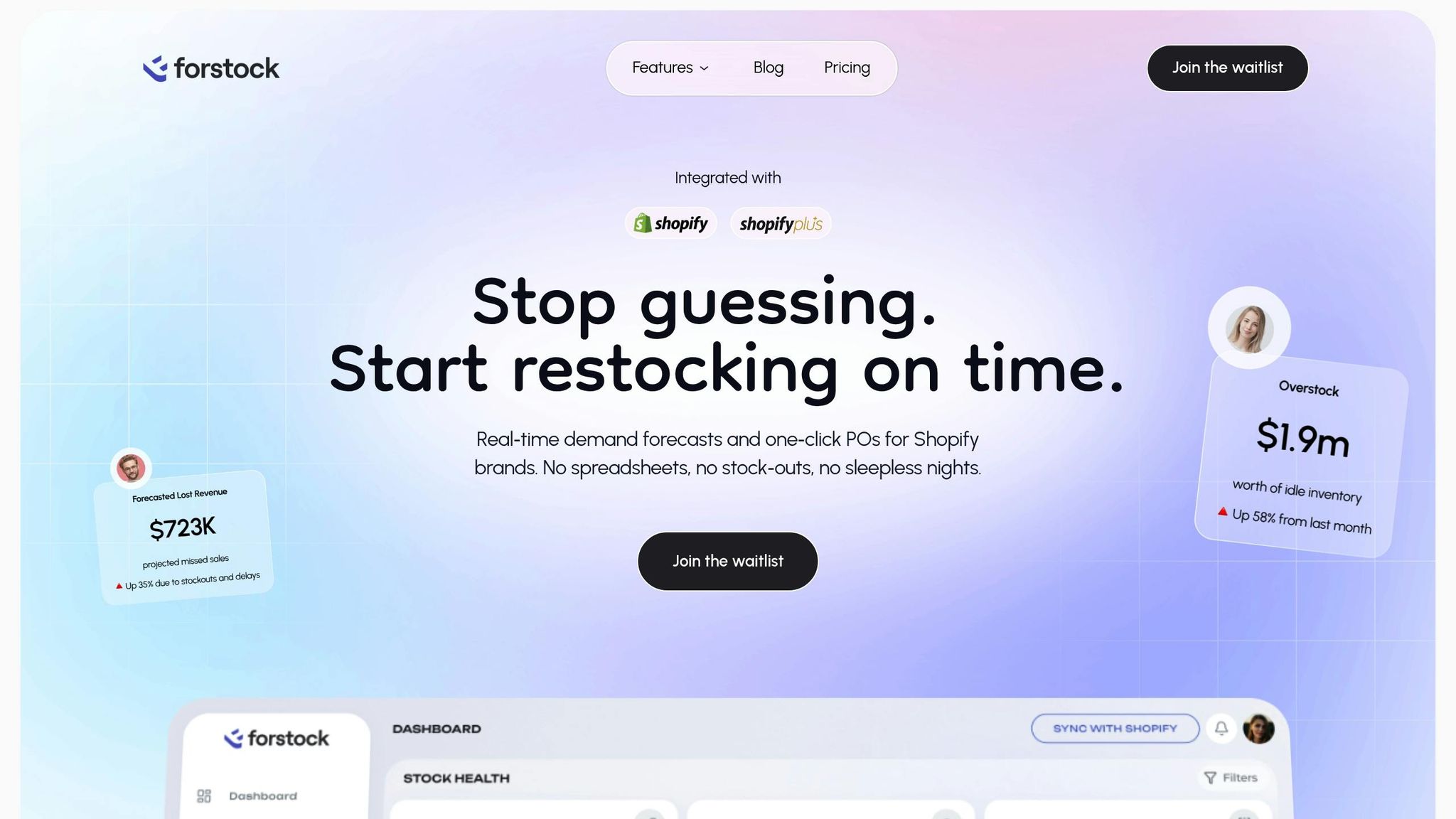
Forstock takes these automation processes and centralizes them into one platform. Designed to simplify multi-location inventory management, it uses AI to automate purchase order workflows across all your Shopify locations. By analyzing real-time demand, seasonal trends, and historical sales data, Forstock forecasts inventory needs for up to 12 months per SKU-location. It then recommends or creates purchase orders that factor in lead times, safety stock, and supplier constraints.
Instead of manually tracking inventory levels, you get a unified dashboard showing inventory health, supplier performance, and open purchase orders across your operation. Forstock’s AI-powered forecasting models predict when inventory will drop below safety stock and trigger automated or "one-click" purchase orders. This eliminates the need for spreadsheets and streamlines the process of creating, splitting, and tracking orders.
For example, if the AI forecast predicts that your Chicago store will run out of a popular SKU in 12 days and the supplier lead time is 10 days, Forstock automatically generates a purchase order. It then routes the order through your predefined approval workflow. Lower-value orders can auto-approve, while higher-value or exception orders are flagged for manual review.
Forstock also simplifies supplier coordination and reduces freight costs by centralizing communication and enabling order consolidation. When shipments arrive, your team can log received quantities, flag discrepancies, and access the original purchase order - all from a single dashboard. This visibility helps identify recurring issues, like consistent under-shipments, so you can address root causes directly.
Merchants using Forstock have reported significant improvements, including fewer stockouts, reduced dead stock, and more predictable cash flow. By tying purchasing decisions to forecasted demand, users have cut manual inventory tasks by at least 60% after adopting the platform. As Sophie, an E-commerce Manager, shared:
"The AI forecast actually makes sense for my business. It feels like having a supply chain manager on my team."
Tracking and Improving Purchase Order Performance
After setting up automated purchase order workflows, the next step is figuring out how well they’re performing. Without tracking key metrics, there’s no way to fine-tune reorder points, adjust safety stock, or evaluate supplier performance. The ultimate goal? Use the data you collect to optimize purchase order rules so each location has just the right amount of inventory - enough to meet demand without tying up unnecessary cash. These metrics help bridge the gap between your forecasts and what’s actually happening, paving the way for continuous improvements.
Key Metrics to Track for Multi-Location Purchase Orders
When it comes to evaluating purchase order performance, metrics generally fall into three categories: product availability, inventory efficiency, and supplier reliability. Tracking these metrics for each location is critical because a warehouse handling wholesale orders will have different needs than a retail store serving walk-in customers.
- Stockout rate: This measures how often a specific product is unavailable at a location during a given period. For instance, if a product is out of stock for 3 days in a 30-day month, the stockout rate is 10%. Many Shopify brands aim for a stockout rate of less than 2% per month to strike the right balance between keeping items in stock and minimizing inventory costs.
- Inventory turnover: This tells you how efficiently inventory converts to sales. It’s calculated by dividing the cost of goods sold by the average inventory value over a set period, usually 12 months. Most ecommerce and retail businesses aim for 4 to 8 inventory turns per year. Low turnover often signals overstocking, while high turnover combined with frequent stockouts might mean reorder quantities are too small or orders aren’t placed often enough.
- Days of inventory on hand: This metric shows how many days your current stock can meet demand. For example, if a California warehouse sells 50 units of a product daily and has 500 units in stock, it has 10 days of inventory on hand. If the supplier’s lead time is 14 days, there’s a risk of running out before the next shipment arrives.
- Overstock value: This represents the dollar amount of inventory that exceeds your target levels. For instance, if a Texas warehouse’s target for a product is 200 units but it has 350 units, and each unit costs $10, the overstock value is $1,500. Monitoring this metric helps identify excess inventory that could be reallocated or sold off.
- Supplier on-time delivery rate: This tracks how often suppliers deliver orders as promised. Industry benchmarks typically aim for 95% or higher, with top performers hitting 98% or more. If a supplier consistently falls below 90%, it may be time to adjust purchase order rules - like increasing safety stock or revising lead time assumptions.
- Purchase order cycle time: This measures the total time from creating a purchase order to having the inventory ready to sell. It includes internal approval delays, supplier processing, shipping, and receiving. Longer cycle times mean you need to place orders earlier, increasing the risk of forecast errors and tying up cash for longer periods. By tracking cycle times for each supplier and location, you can spot and address bottlenecks like slow approvals or inefficient receiving processes.
| Metric | What It Measures | Target Range (Typical) | What to Do When Off-Target |
|---|---|---|---|
| Stockout rate | Percentage of time a SKU is unavailable | Under 2% per month | Increase reorder points or safety stock; check supplier delays |
| Inventory turnover | How many times inventory is sold annually | 4–8 turns per year | Reduce order sizes for low turnover; increase for high turnover with stockouts |
| Days of inventory on hand | How long current stock meets demand | Matches lead time + buffer | Expedite orders if too low; reduce if too high |
| Overstock value | Dollar value of excess inventory | Varies by business | Transfer excess, run promotions, or adjust order sizes |
| Supplier on-time delivery | Percentage of orders delivered on time | 95% or higher | Renegotiate terms, increase safety stock, or reassess supplier reliability |
| Purchase order cycle time | Days from PO creation to inventory availability | Varies by supplier/location | Eliminate approval or receiving bottlenecks |
By tracking these metrics, you can align purchase orders more closely with demand and supplier performance.
Using Data to Improve Purchase Order Workflows
Metrics are only useful if you act on them. Reviewing trends over rolling periods - such as 3, 6, or 12 months - can help you identify whether issues are isolated or part of a larger pattern. For example, a single late shipment might not be a big deal, but consistent delays over several months point to a problem that might require adjusting purchase order rules or rethinking supplier relationships.
Break down your analysis by location and product category. If one store frequently runs out of fast-moving items but shows low overstock value, it might be time to increase reorder quantities or adjust reorder points. On the flip side, if another location has high overstock value and low turnover, you may need to reduce order sizes or order less frequently. Making small, targeted adjustments rather than sweeping changes ensures your purchase order process is tailored to each location’s needs.
Supplier performance data is also key to refining your strategy. If a supplier consistently underperforms, document the issues and discuss them with the supplier. If problems persist, you might need to increase safety stock, place orders earlier, or explore alternative suppliers. Tools like Forstock can help by automatically adjusting reorder triggers based on actual supplier performance.
Seasonal trends, promotions, and regional differences should also factor into your analysis. For example, a store selling winter apparel will need higher safety stock and more aggressive reorder points during fall and winter, while a swimwear-focused location may require the opposite approach. Segmenting metrics by season or sales events ensures your strategies align with expected demand.
One way to keep improving is to hold regular review meetings - monthly or quarterly - where operations, finance, and location managers assess purchase order performance together. Standardized dashboards that display metrics across all locations make it easier to spot trends and outliers. Between meetings, automated alerts for issues like projected stockouts, excessive overstock, or poor supplier performance can help you address problems before they escalate.
For Shopify brands, tools like Forstock simplify this process by centralizing metrics into a single dashboard. Instead of juggling data from Shopify, spreadsheets, and supplier emails, you get real-time insights into demand projections, recommended order quantities, and performance at each location. This unified view allows you to experiment with strategies - like smaller, more frequent orders versus larger, less frequent ones - and find the right balance between cost and availability.
Conclusion
Managing purchase orders across multiple locations doesn’t have to feel like an endless cycle of manual tasks or constant firefighting to avoid stockouts and overstock. By using standardized templates and workflows tailored to your business needs, you create a scalable framework that grows alongside your operations. The real game-changer, however, is automation - letting tools handle demand-driven purchase orders, consolidating supplier shipments to save on freight, and eliminating repetitive data entry so your team can focus on making strategic decisions.
These steps lead to real, measurable improvements. Transitioning from manual purchasing to automated, data-driven workflows reduces stockouts, minimizes excess inventory, and improves cash flow. Instead of relying on guesswork, you can use real-time sales data, supplier lead times, and seasonal trends to guide your decisions, ensuring your processes evolve as your business grows.
Platforms like Forstock are designed to put these best practices into action for Shopify brands. With features like AI-driven forecasting, automated purchase order creation, and a centralized inventory dashboard, you gain the visibility and control needed to manage multiple locations without adding unnecessary complexity or headcount. Users of such systems have reported cutting manual inventory tasks by 60%, saving time and reducing costly errors. This integrated approach aligns perfectly with the strategies outlined in this guide.
Start with the basics: set clear reorder points and safety stock levels for each location, use standardized purchase order templates, and establish approval workflows that balance speed with oversight. Then, layer in automation to handle routine tasks, allowing your team to focus on exceptions and strategic improvements. Regularly track your metrics, refine your rules based on the data, and adapt as your supplier relationships and operations evolve.
Whether you’re managing two warehouses or twenty, the core principles remain the same: standardize your processes, customize workflows to fit your needs, automate where possible, and let data guide your decisions. With the right systems in place, you’ll confidently scale your operations, meet customer demand efficiently, and turn inventory management into a competitive advantage.
FAQs
How do I set the right reorder points and safety stock levels for each store location?
Determining precise reorder points and safety stock levels for each location requires digging into sales trends, lead times, and how demand fluctuates. Forstock makes this process easier by leveraging real-time sales data and AI-driven forecasting to calculate the best reorder points for your products.
By taking into account demand patterns unique to each location and supplier lead times, Forstock helps you keep just the right amount of stock on hand. This means fewer stockouts, less overstock, and smoother inventory management across all your locations. Plus, it saves you time and helps improve cash flow in the process.
How can I standardize product data and supplier terms for multiple store locations?
Consistency in product data and supplier terms is key when managing operations across multiple locations. It streamlines processes, enhances efficiency, and minimizes errors in your purchase order workflows. To achieve this, start by building a centralized database. This database should house all essential product details - like SKUs, descriptions, pricing, and supplier information - and be updated regularly to ensure accuracy and uniformity across all locations.
Additionally, set up clear supplier agreements that define consistent terms for pricing, lead times, and delivery schedules. Regularly revisit these agreements to ensure they continue to meet your business requirements. Tools like Forstock can make this process easier by consolidating supplier communication and automating purchase order creation. This ensures all locations stay aligned and effectively meet demand without unnecessary complications.
How can automating purchase orders boost efficiency and lower costs for multi-location Shopify stores?
Automating purchase orders streamlines the entire ordering process, cutting down on manual tasks and minimizing errors. This approach helps maintain optimal stock levels across all locations, reducing the risk of running out of stock or overordering, both of which can be costly.
With automation, businesses gain the advantage of saving time, enhancing accuracy, and making smarter, data-informed purchasing decisions. The result? Lower operational costs, improved supplier coordination, better cash flow management, and happier customers.


.png)
.png)
.png)
.svg)