

.png)
.png)
Managing safety stock is a challenge for Shopify merchants in the U.S. Without the right balance, you risk stockouts that lead to lost sales or overstocking that ties up cash. AI can solve this by analyzing your data and automating inventory decisions. Here's how you can set it up in three steps:
- Gather and Clean Your Data: Collect historical sales, supplier lead times, stockouts, and event data. Ensure accuracy by removing errors and standardizing formats.
- Connect Shopify to an AI Platform: Use apps, APIs, or data exports to sync your store with an AI tool like Forstock. This enables real-time insights and forecasts.
- Set Up Forecasts and Automation Rules: Configure AI to predict demand, set service-level targets, and automate reorder points based on stock levels and supplier performance.
This process reduces manual tasks, minimizes stockouts, and optimizes inventory. By starting with a small group of SKUs and tracking metrics like stockout rates and inventory turnover, you can refine the system for your business. AI tools like Forstock make it simple to maintain optimal inventory levels while saving time and improving cash flow.
AI Inventory Management: Predict Demand, Prevent Stockouts
Step 1: Gather Your Safety Stock Data
Before diving into AI-driven safety stock calculations, the first step is to gather accurate and detailed data from your Shopify store and supply chain. The quality of this data is crucial - clean, precise inputs allow AI to assess your demand patterns, supplier reliability, and risks effectively. On the flip side, poor-quality data can lead to flawed safety stock recommendations, which may cause inventory headaches down the line. Think of this as laying the groundwork for AI to deliver actionable and reliable results.
What Safety Stock Is and Why It Matters
Safety stock refers to the extra inventory you keep on hand to guard against unexpected demand spikes or supply chain delays. It’s essentially a buffer that ensures you can fulfill orders even when things don’t go as planned. Without it, you risk stockouts, which can lead to lost sales, unhappy customers, and expensive emergency fixes like rush shipping.
The formula for calculating safety stock is:
safety stock = service factor × standard deviation of demand during lead time.
- The service factor represents how often you want to avoid stockouts - higher for essential products, lower for less critical ones.
- The standard deviation reflects how much your demand fluctuates during the supplier lead time.
For Shopify merchants in the U.S., safety stock is even more critical. Shoppers expect quick delivery and consistent availability. A stockout can lead to missed opportunities, negative reviews, and costly last-minute solutions like air freight. On the other hand, holding too much safety stock ties up capital that could be better spent on marketing or new product launches. This balance is where AI comes in, dynamically adjusting stock levels based on real-time data.
Data You Need for Safety Stock Automation
To calculate safety stock effectively, AI relies on several key data points:
- Historical sales data: Pull at least 12 months of order-level or daily sales data by SKU from Shopify. Include quantities sold, order dates, and any returns or cancellations. If your business has strong seasonal trends, gathering up to 24 months of data can provide a clearer picture.
- Supplier lead times: Collect purchase order records that show promised and actual delivery dates. This helps AI calculate average lead times and their variability, which can differ by supplier or fulfillment center.
- Stockout and backorder events: Record when a SKU hits zero inventory or becomes unavailable, along with any backorders or waitlist activity. This allows AI to distinguish between true demand and suppressed demand caused by stockouts.
- Seasonality and event markers: Label significant retail events, such as holidays or promotions, to help AI predict demand spikes and adjust safety stock levels accordingly.
| Data Type | Data Details | Purpose |
|---|---|---|
| Historical demand | Daily or weekly sales quantities, timestamps, and channel tags | Helps AI learn demand patterns, seasonality, and variability. |
| Supplier lead times | Promised vs. actual lead times per SKU-supplier | Captures average lead time and variability, key for accurate safety stock calculations. |
| Stockouts | Dates and durations of zero inventory and backorders | Ensures AI doesn’t mistake stockouts for low demand. |
| Promotions & events | Flags for discounts, campaigns, holidays, and product launches | Prevents overestimating demand during promotional spikes. |
| Returns & cancellations | Records of returned or canceled items, with reasons | Ensures net demand is accurately measured. |
| Inventory by location | On-hand, on-order, and reserved stock per warehouse or store | Supports location-specific safety stock adjustments. |
Preparing Your Data for AI
Once you’ve identified the data you need, it’s time to clean and standardize it. Start by removing or flagging any outliers, such as one-off bulk orders that don’t reflect typical demand. Fix errors like negative quantities or duplicate entries, and ensure refunds or cancellations are consistently recorded.
It’s also important to standardize time zones - U.S. Eastern Time is a common choice for nationwide operations - and use consistent SKU identifiers across all systems. Align timestamps for orders and warehouse receipts to ensure accurate lead-time and demand calculations.
For businesses with multiple locations, keep separate identifiers for each warehouse, third-party logistics provider, or retail store. This allows AI to analyze demand and lead times at a granular level. Additionally, distinguish between different fulfillment methods, such as local pickup or cross-border shipping, as these can impact safety stock requirements.
Before fully automating safety stock calculations, test the system with a subset of SKUs. Compare the AI-generated safety stock levels to your team’s operational experience. Run these calculations alongside your existing rules for a few weeks, monitoring metrics like fill rates and stockouts to ensure the results align with expectations.
Why Data Quality Matters
Clean, accurate data is non-negotiable. Experts emphasize that the quality of your data has a bigger impact on safety stock accuracy than the specific formula you use. For example, one case study showed how a single large outlier order inflated a product’s buffer from 24,000 units to 110,000 units. After cleaning the data, the company realized it could have avoided tying up $30,000 in unnecessary inventory.
Investing time in data preparation pays off. Companies leveraging AI for inventory planning have reported up to a 25% improvement in forecast accuracy, reducing both stockouts and excess inventory. By laying a solid data foundation, you set the stage for AI to deliver meaningful results.
Step 2: Connect Your Shopify Store to an AI Platform

After cleaning and organizing your data, the next step is to link your Shopify store to an AI-powered inventory platform. This connection pulls in data like products, orders, locations, and inventory levels. The result? Your raw data gets transformed into actionable safety stock recommendations, offering real-time insights that are accurate and reliable.
How to Sync Your Shopify Data
There are three main ways to connect your Shopify store to an AI inventory platform: installing a Shopify app, using a direct API connection, or scheduling data exports.
- Shopify App Installation: This is the quickest and easiest option. By installing an app from the Shopify App Store, you can securely grant access to your store's data - like products, variants, orders, and inventory levels - through Shopify's OAuth permissions. This process requires no technical expertise, and the app automatically syncs your data in just a few clicks.
- Direct API Connection: If your business has a complex tech stack or uses systems like an ERP or warehouse management software, a direct API connection might be the better choice. This option allows for more customization, such as mapping SKUs between Shopify and legacy systems. However, it does require technical resources, like in-house engineering support.
- Scheduled CSV Exports and Imports: For older systems that don't support real-time APIs, this method can work as a backup. You can schedule data exports from Shopify (daily or weekly) and then import them into the AI platform manually or through automated scripts. Keep in mind, though, that this approach lacks real-time updates, which could delay safety stock adjustments.
Once the integration is set up, prioritize syncing real-time data - such as inventory levels, open orders, and stock movements - while scheduling updates for less time-sensitive data like historical orders or promotions. Ensure your Shopify data is consistent and complete, with matching SKUs, barcodes, and unit measures across all systems. With everything synced, the AI platform can start generating accurate forecasts.
How AI Calculates Safety Stock from Shopify Data
With your Shopify data fully synced, the AI platform analyzes historical trends and supplier lead times to dynamically adjust your safety stock levels. Here's how it works:
- Order History Analysis: The AI studies order data across different timeframes (weeks, months, and year-over-year) to identify patterns like weekday versus weekend demand or seasonal spikes (e.g., Black Friday or Cyber Monday). This helps establish a baseline for normal demand.
- Handling Promotions and Seasonality: The AI separates temporary promotional spikes from regular demand to avoid inflating safety stock unnecessarily.
- Supplier Reliability: Historical purchase orders and receipt dates are analyzed to estimate supplier lead times and variability. For instance, delays from international suppliers may lead to higher safety stock, while reliable local suppliers might allow for smaller buffers.
- Returns and Cancellations: These factors are also taken into account to calculate true net demand.
By combining demand variability with forecast accuracy, the AI adjusts safety stock levels to match changing conditions. According to Deloitte, businesses using AI for inventory management have seen up to a 25% improvement in forecast accuracy, enabling them to reduce excess stock while minimizing stockouts.
Using Forstock for Shopify Inventory Management
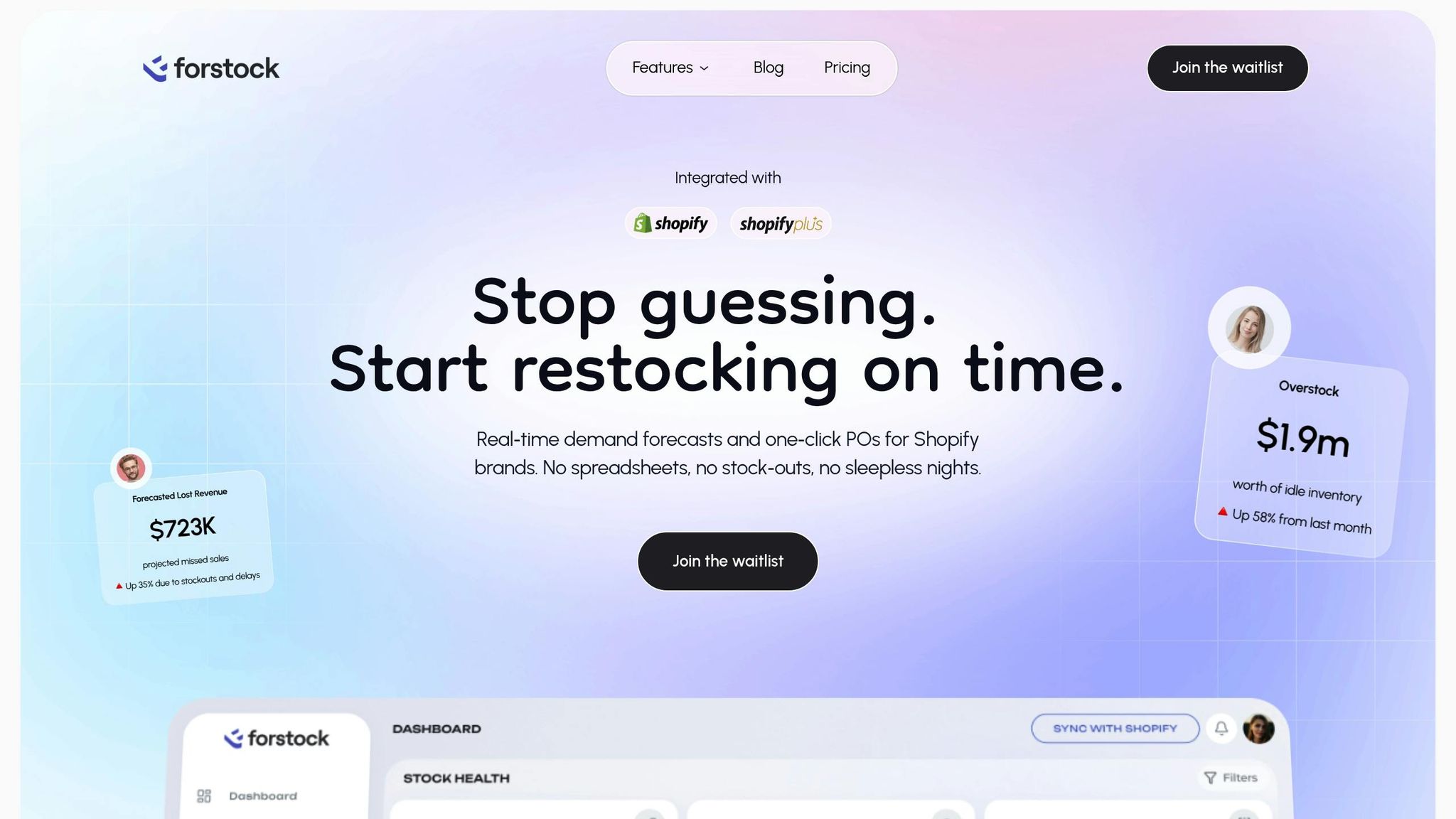
Forstock is a Shopify-native AI platform that simplifies inventory management for brands. Its seamless integration with Shopify means no custom development or IT support is needed.
Once connected, Forstock uses Shopify's secure OAuth flow to sync your data - products, variants, orders, locations, and inventory levels - into a single dashboard. The platform's AI models then analyze this data to provide real-time demand forecasts and safety stock recommendations, factoring in trends like seasonality, sales patterns, and lead times.
Forstock also streamlines purchase order management. It can automatically generate purchase order proposals based on on-hand inventory, open orders, supplier lead times, and minimum order quantities. Planners can review and approve these proposals instead of creating them manually. Additionally, U.S. merchants can set rules like "cover the next X weeks of demand" or "maintain no more than Y days of stock" to balance costs and service goals effectively.
The platform also centralizes supplier coordination, tracking key details like ordered quantities, expected delivery dates, and delays. This helps you identify at-risk items and prioritize follow-ups to avoid stock shortages.
sbb-itb-f0fc809
Step 3: Set Up AI Forecasts and Automation Rules
Once your systems are synced, it’s time to configure your AI forecasting engine and establish rules to maintain optimal safety stock. This step transforms raw data into actionable, automated inventory decisions.
How to Configure AI Demand Forecasts
Accurate demand forecasting is the backbone of automated safety stock management. To get started, your AI platform needs key inputs that align with your business. Begin by selecting a forecast horizon that matches your planning cycle. For many U.S. Shopify merchants, this could range from 3 to 12 months, depending on factors like product lifecycle and supplier relationships. For example, fast-moving goods may require shorter horizons, while seasonal or fashion items often benefit from longer forecasts.
Next, decide on the time granularity. High-volume stores with steady sales might benefit from daily forecasts for more precise inventory control, while slower-moving items may work better with weekly forecasts to reduce unnecessary noise. The most critical setting is your service-level target. For instance, a 95% target (Z-score of 1.65) means accepting a 5% risk of stockouts, while a 99% target (Z-score of 2.33) demands a larger buffer. You can customize these targets based on your catalog - high-revenue or high-margin items might warrant 98–99%, while less critical products could stay within 90–95%.
To train the AI, provide 12–24 months of historical sales data. This helps the system identify baseline demand and recurring patterns, such as seasonal spikes during Black Friday or Cyber Monday. Be sure to include data tags for promotions and special events to refine forecast accuracy.
Additionally, set lead time parameters for each supplier. Since vendor reliability can vary, adjusting buffers based on their performance can free up working capital while still meeting demand.
With these forecasts in place, you’ll be ready to create precise safety stock rules.
Creating Automated Safety Stock Rules
Once your forecasts are ready, the next step is to establish rules that translate those insights into safety stock levels. Fast-moving products often require higher service-level targets - usually between 97–99% - and dynamic safety stock that adjusts frequently based on demand changes. For slower-moving items, lower service levels (around 90–95%) and less frequent updates may be sufficient. Seasonal items benefit from rules that gradually increase safety stock before peak periods and reduce it afterward.
You can also use if–then logic to create more tailored rules. For example:
- If an A-class product exceeds forecasts by 20% for three consecutive weeks, increase safety stock by 15%.
- If a B-class product underperforms by 30% for four weeks, reduce safety stock by 20%.
For margin-based strategies, allocate higher safety stock to high-margin products while limiting buffers for low-margin or bulky items to align with profitability goals.
To avoid overreacting to anomalies, configure safeguards. For instance, filter out one-off spikes like unusually large orders and cap weekly adjustments (e.g., ±20%). Enable alerts for cases where recommended safety stock exceeds historical peaks, so you can review before issuing purchase orders.
Automating Replenishment with Safety Stock
With safety stock rules in place, you can automate replenishment actions. When available inventory, combined with incoming purchase orders, falls below the reorder point (which includes safety stock), the AI system triggers a replenishment action. For example, Forstock can analyze current stock levels, open orders, and historical sales data from Shopify, then compare them with AI-generated forecasts to recommend purchase quantities and due dates.
Each SKU can be mapped to its preferred suppliers, lead times, and minimum order quantities. You can also define reorder frequencies - weekly or biweekly are common for U.S. merchants - and set minimum order values or carton constraints to optimize shipping costs.
Choose between two modes:
- Suggestion only: The AI drafts purchase orders for your review.
- Auto-create: Purchase orders are generated automatically for stable SKUs.
Many merchants start with the suggestion mode to build trust in the AI’s recommendations before switching to auto-create. Forstock simplifies the process by centralizing supplier coordination, tracking quantities, delivery dates, and delays. You can also set rules like “cover the next 4 weeks of demand” or “maintain no more than 60 days of stock” to balance service levels with cash flow.
Monitor key metrics such as stockout rates, fill rates, and inventory turnover through the AI dashboard. Reviewing these KPIs by SKU class, vendor, and location helps fine-tune safety stock rules and service-level targets. Regular reviews - monthly for most operations or weekly for fast-moving items - ensure your safety stock remains effective and efficient.
Here’s an example of how this workflow might look: integrate Shopify with Forstock, upload 18 months of historical sales data, and define service-level targets by category (e.g., 98% for top sellers, 95% for mid-tier items, and 92% for long-tail products). Configure AI forecasts with weekly granularity, tag major U.S. retail events like Memorial Day and Black Friday, and set safety stock rules based on ABC classification and supplier lead times. Finally, enable automated purchase order suggestions so that when stock levels dip below safety stock, Forstock drafts a purchase order that meets vendor minimums - all managed within one dashboard. This streamlined process reduces stockouts, improves cash flow, and saves time.
Merchants using AI for inventory management have reported up to a 25% boost in forecast accuracy, helping them cut down on excess stock while avoiding stockouts. By automating these decisions, you move from reactive problem-solving to proactive inventory management, ensuring your Shopify store always has the products your customers need.
Conclusion
You can automate safety stock with AI without making major changes to your current operations. By organizing your data, connecting your Shopify store to an AI platform, and setting up automated forecasting and replenishment rules, you can turn inventory management from a constant source of stress into a smooth, data-driven process. This shift not only simplifies your daily workflow but also enables more proactive decision-making.
Automating safety stock helps reduce stockouts, stabilizes inventory levels, and minimizes expensive last-minute orders. Instead of spending hours buried in spreadsheets recalculating reorder points or guessing purchase quantities, you’ll have real-time insights into what needs to be ordered and when. As new sales data comes in, the AI refines its recommendations, ensuring your safety stock stays in sync with actual demand. Merchants using platforms like Forstock have reported cutting manual inventory tasks by at least 60%, freeing up valuable time that can be redirected to supplier negotiations, marketing efforts, or strategic planning. Plus, better inventory alignment improves cash flow by reducing excess stock while still maintaining strong service levels.
A great way to start is by focusing on a pilot group of key SKUs - your top sellers or highest-margin products - and expanding as you see results. Connect your Shopify store, activate AI forecasts for that subset, and enable automated purchase order suggestions. To measure success, track metrics like stockout rates, fill rates, and inventory turnover before and after implementation. As Liam, an operations director, shared:
"The forecasts are accurate, the purchase order flow is seamless, and my team actually enjoys using it. We have cut manual inventory tasks by at least 60%."
Once the AI is up and running, it takes over tasks like calculating adjustments, monitoring alerts, and generating purchase orders. This shift moves you from constantly reacting to problems to planning ahead with confidence. You’ll know exactly which products are overstocked, which are running low, and when to reorder - all from a single dashboard. That clarity allows you to focus on growing your business, knowing your inventory will keep up with customer demand without costly missteps.
The process is simple, the tools are accessible, and the benefits - fewer stockouts, optimized inventory, and significant time savings - are within reach for any U.S.-based Shopify brand ready to leave behind manual safety stock management.
FAQs
How can AI help Shopify merchants manage inventory to avoid stockouts and overstocking?
AI empowers Shopify merchants to better manage their inventory through forecasting models that adjust to sales patterns, lead times, and seasonal changes. By examining past data, these models provide predictions about future demand, helping merchants make smarter, data-based purchasing choices.
With automated safety stock calculations, AI helps maintain the perfect balance in inventory - avoiding stockouts while cutting down on overstock. This approach not only boosts cash flow but also gives you more time to concentrate on expanding your business.
What data does AI need to calculate safety stock accurately, and how should you prepare it?
To calculate safety stock effectively with AI, having clean, relevant, and well-structured data is essential. The most important data points to focus on include:
- Historical sales data: Aim for at least 12 months of accurate sales records to capture patterns like seasonality and trends.
- Lead times: Gather precise details about supplier lead times, including any variations.
- Demand variability: Understand how customer demand fluctuates over time to account for unpredictability.
Make sure your data is error-free, consistently formatted, and regularly updated. For instance, remove anomalies or outliers from sales records and double-check that supplier lead times are accurate. With high-quality data, AI tools can provide more dependable safety stock calculations, helping you strike the right balance between avoiding stockouts and preventing excess inventory.
How does Forstock simplify safety stock management compared to manual methods?
Forstock takes the hassle out of safety stock management with its AI-driven forecasting models. These models adjust dynamically to factors like sales trends, lead times, and seasonal fluctuations, ensuring your purchasing decisions are based on solid data rather than guesswork.
The platform also handles time-consuming tasks such as creating purchase orders and tracking inventory automatically. This minimizes the chances of running out of stock or dealing with excess inventory. Plus, its unified dashboard gives you a clear view of stock levels, supplier management, and performance across multiple locations - all from one central hub. The result? You save time, improve cash flow, and meet customer demands with confidence, without relying on manual calculations.


.png)
.png)
.png)
.svg)